


Face Recognition vs Fingerprint Attendance Machine: Which Is Better for Your Office?

Neither is better everywhere. Choose a fingerprint attendance machine if you want a proven, budget-friendly option for a team with clean, dry hands, such as a typical office. Choose a face recognition attendance machine if you want a contactless attendance system that works better for large crowds, hygiene-conscious places and workers whose fingers are often dirty, wet or worn. If you cannot decide, a machine that supports both, along with a card or PIN as a backup, is the safest choice.
Still using a paper register or a shared sign-in sheet? Then you already know the problems: one colleague marking attendance for another, forgotten entries, arguments over late arrivals and hours lost at month-end adding up days for salary. A biometric attendance machine solves most of this by recording who actually came and when.
The real question is which kind to buy. This guide compares face recognition vs fingerprint attendance machine technology in plain language, so that you can pick the one that suits your office, school, shop or factory. We have also covered software, cloud options, privacy and what to check before you pay.
Well Known Computers has been serving customers in Kanpur since 2000, and we help businesses, schools and factories choose attendance systems that fit the way they work.
What Is a Biometric Attendance Machine?
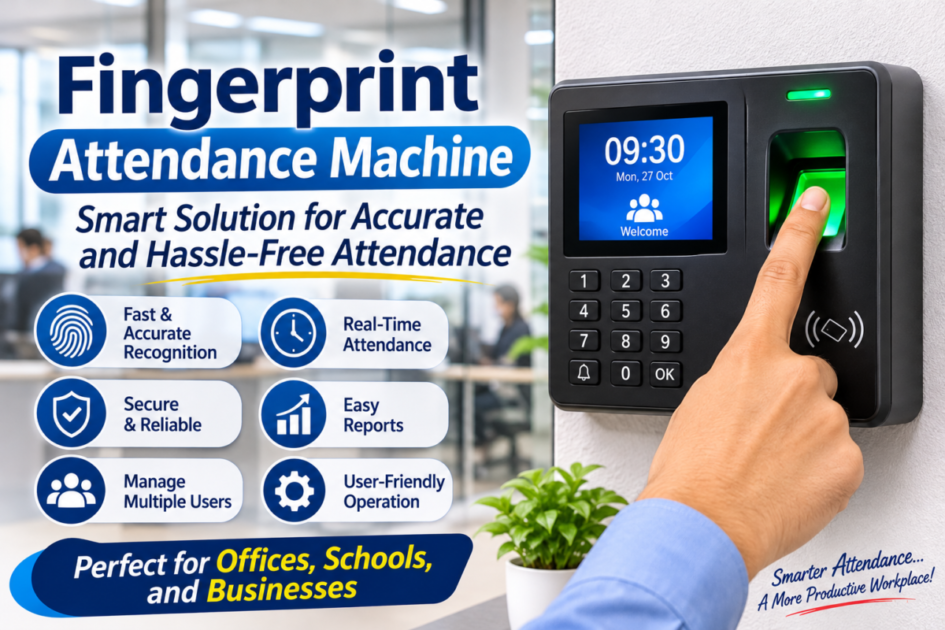
A biometric attendance machine identifies a person by something unique to their body, such as a fingerprint or a face, instead of a signature or a card that can be shared. When an employee arrives, they place a finger or look at the device. It matches them against a stored profile, records the exact time and saves the entry.
This is what makes it a reliable time attendance machine for employees. It removes proxy attendance, keeps an accurate record of arrival and departure, and gives managers a clean report instead of a pile of paper. Most machines store a number of users and logs inside the device and can pass the data to a computer.
How a Fingerprint Attendance Machine Works?
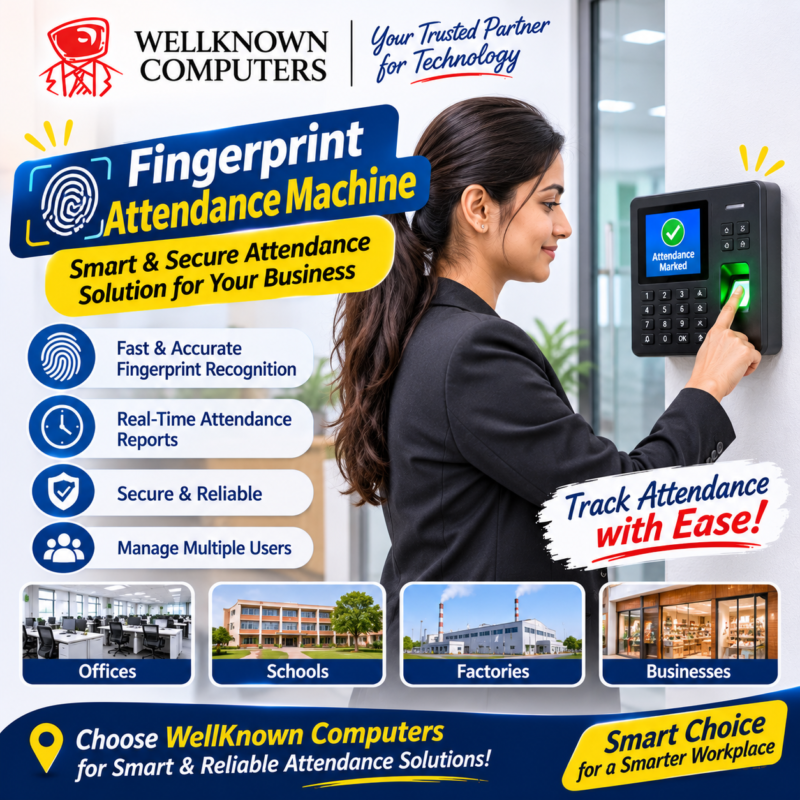
A fingerprint attendance machine reads the pattern of ridges on your finger with a small sensor, converts it into a digital template and compares it with the templates stored in the machine. If it matches, attendance is marked.
Advantages:
- Well established. It has been used in offices for a long time, and most staff already know how it works.
- Usually more affordable. Fingerprint models are often priced lower than face recognition ones, which helps with a tight budget.
- Fast for small teams. Placing a finger takes only a moment.
- Works in dim light. It does not depend on the surrounding lighting the way a camera does.
Limitations:
- Dry, wet, dirty or worn fingers can fail. This is common among workers who handle chemicals, oil, cement, paper or water.
- Requires touch. Everyone presses the same sensor, which some people dislike for hygiene reasons.
- Sensor needs care. Dust, scratches and grime reduce its reliability over time.
- Queues at busy times. When many people arrive together, each one has to wait for a turn and sometimes retry.
How a Face Recognition Attendance Machine Works
A face recognition attendance machine uses a camera to capture your face, then compares key features with the stored profile. Because nothing needs to be touched, it works as a contactless attendance system.
Advantages:
- No touching. Better for hygiene, especially in schools, clinics and crowded workplaces.
- Fast and natural. Many people can be recognized in a second as they walk up, which helps reduce queues.
- Good for hands that struggle with sensors. Dirty, oily or worn fingers no longer matter.
- Harder to cheat with a shared device. A person must be physically present in front of the camera. Good devices also include protection against photos and videos, which you should confirm before buying.
Limitations:
- Lighting and placement matter. Strong backlight, glare or a very dark entrance can cause problems.
- Usually costs more than a basic fingerprint model.
- Changes in appearance such as a new beard, heavy glasses or a covering on the face may need re-enrolment or a device that handles them well.
- Privacy concerns. Some people are uncomfortable with a camera recording their face, so clear communication is important.
Fingerprint vs Face Recognition Accuracy: What Really Decides It
People often ask about fingerprint vs face recognition accuracy as if one technology always wins. In practice, both can be highly accurate when the device is of good quality and installed properly. The result depends far more on conditions than on the technology label.
- Quality of the sensor or camera. A good sensor makes a big difference to both types.
- Quality of enrolment. If a fingerprint or face is recorded badly the first time, the machine will struggle every day after. Enroll each person carefully, and record more than one finger if the device allows.
- Condition of the hands or face. Worn fingerprints affect one type. Poor lighting affects the other.
- Installation. Height, lighting, distance from the door and protection from sunlight all matter.
- Software and updates. Matching quality improves with good firmware.
- Environment. Dust, moisture and heat influence performance.
Our practical advice: do not rely only on a brochure. Ask for a demonstration and try the machine with several of your own staff, including those with the most challenging hands or working conditions.
Side-by-Side Comparison
| Point | Fingerprint | Face recognition |
|---|---|---|
Touch required | Yes | No |
Hygiene | Lower, shared sensor | Better, contactless |
Speed in a queue | Slower in rush hours | Usually faster |
Dirty, wet or worn hands | Can be a problem | Not affected |
Lighting sensitivity | Low | Higher |
Typical cost | Often lower | Often higher |
Privacy feel | Familiar to most | Some staff are cautious |
Best for | Offices, small teams, tight budgets | Larger teams, schools, factories, hygiene-focused places |
Which Is Better for Your Place? By Use
Attendance machine for office: a fingerprint model works well for a small or medium office where people have clean hands and arrive at different times. If many staff arrive together or you prefer a touch-free approach, a face recognition model is more comfortable. For a typical attendance machine for office use, look at software features as much as the device.
Best attendance machine for small business: keep it simple and affordable. A reliable fingerprint or dual-mode machine with easy software is often enough. A biometric attendance machine for small business should be easy to set up, easy to export reports from and supported locally, so you are not stuck if something breaks.
Attendance machine for school in Kanpur: schools need to record teachers, staff and sometimes students. Face recognition suits the crowd at the gate and the hygiene concerns with young users, while fingerprint can be cheaper for the staff room. Ask whether the system can mark attendance by class and generate simple reports. Check what notifications or parent updates the software supports, and avoid assuming it can.
Attendance machine for factory: workers handle oil, dust, water and heavy materials, which can wear or cover fingerprints. A face recognition machine, or a device that combines face, card and fingerprint, is often a better fit. Look for a sturdy body, good dust protection and the ability to handle shift timings, overtime and many workers at the gate.
Clinics, shops and showrooms: staff are usually few, so either type works. Choose the one that suits the entrance, and think about hygiene if the machine is near the public.
Attendance Machine With Software and Cloud Attendance System
The machine only collects data. The value comes from what you do with it, so ask about software before you buy.
Good attendance machine with software should help you:
- Define shifts, grace periods and weekly offs
- Track late arrivals, early exits and overtime
- Manage leave and holidays
- Generate daily, monthly and employee-wise reports
- Export data for payroll in a format your accountant can use
- Keep backups of the attendance logs
A cloud attendance system stores or syncs the data online. This is useful when you have more than one branch, want to check attendance from anywhere, or want managers to see reports without visiting the office. The things to check are internet dependency (does the machine keep working and store entries if the connection drops?), data security, who can see the data, and whether there are monthly charges. Some businesses prefer to keep data on a computer in the office, and that is also a valid choice. If you use a local computer, a reliable desktop or all-in-one at the reception, along with a UPS, helps keep the system running.
What to Check Before Buying an Attendance Machine
- User capacity. The number of employees it can store, with some room to grow.
- Log storage. How many attendance records it can hold if it is offline.
- Verification modes. Fingerprint, face, card, PIN, or a combination.
- Speed. How quickly it recognizes a person in real conditions.
- Liveness protection for face recognition, to resist photos and videos.
- Connectivity. LAN, wireless or USB, depending on your setup.
- Software. Reports, shifts, payroll export and ease of use.
- Power backup. A built-in battery or a UPS, so attendance continues during a power cut.
- Door-lock support, if you also want access control.
- Build quality and dust protection, especially for factories.
- Warranty and local support. Who installs it, trains your staff and repairs it?
Privacy and Data Protection
Biometric information is sensitive personal data, so handle it with care.
- Tell employees what you are collecting, why, and how long it will be kept.
- Limit who can access the attendance reports.
- Choose systems that store biometric data securely and let you delete a person’s data when they leave.
- Protect the computer or cloud account with strong passwords, and keep your network secure. Our guide on what a UTM firewall is explains how to protect your office network. [Update this link to your live URL.]
- Data protection rules may apply to your business, so check the current requirements or ask a professional.
Where to Buy an Attendance Machine in Kanpur
Purchase your attendance machine from WellKnown Computers, located at Somdutt Plaza, Kanpur. Choosing the right supplier is just as important as choosing the right machine. A reliable supplier will understand your staff strength, entry setup, attendance requirements and reporting needs before recommending a suitable biometric attendance system. When looking for a biometric machine shop in Kanpur, WellKnown Computers is a place to consider for your business attendance requirements.
- Can I see and test the machine before buying?
- Is the software included, and will someone help me set it up?
- Will you help with installation and staff enrolment?
- What warranty is provided, and who handles repairs?
- Will I get a proper GST bill and warranty card?
- Who do I call if the machine or software stops working?
At Well Known Computers, team helps you compare fingerprint, face recognition and dual-mode options for your office, school or factory, and explains the software and support involved.
Visit our store: UGB-24 WellknownComputers Pvt Ltd. 3rd Floor Somdutt Plaza, Kanpur Uttar Pradesh 208001 | Call / WhatsApp: +91 93358 37020 | Website: https://wellknowncomputers.com/
Common Mistakes to Avoid
- Buying only on price. The cheapest machine with poor software or no support costs more in the long run.
- Ignoring your working conditions. Dusty or oily hands do not suit every fingerprint sensor.
- Not testing before buying. Try it with your own staff.
- Poor installation. A face recognition machine placed in direct sunlight or a fingerprint machine at an awkward height will struggle.
- Forgetting the software. The reports matter as much as the device.
- Skipping power backup. A power cut should not stop attendance.
- Not telling employees. Explain what is collected and why, to avoid worry and complaints.
- Careless enrolment. A rushed first scan causes daily problems later.
Frequently Asked Questions
Which is better: a face recognition or a fingerprint attendance machine?
It depends on your workplace. Fingerprint machines are proven and often more affordable, which suits many offices. Face recognition is contactless and handles dirty or worn fingers and busy entrances better, which suits schools, factories and hygiene-sensitive places.
Is a face recognition attendance machine more accurate than a fingerprint machine?
Not always. Accuracy depends mainly on the quality of the device, how carefully each person is enrolled, the lighting and the condition of fingers or face. Test the machine with your own staff before you decide.
Which is the best attendance machine for small business?
For most small businesses, a reliable fingerprint or dual-mode machine with easy software and local support is enough. Prioritize simple setup, clear reports and after-sales help over extra features you will not use.
Can a fingerprint machine work with dirty or wet hands?
It can struggle. Oil, dust, water and worn fingerprints reduce recognition. If this describes your workers, consider face recognition or a machine that supports multiple modes.
What is a cloud attendance system?
It is a system that stores or syncs attendance data online, so you can check records from anywhere and manage several branches together. Check that the machine still records entries during an internet outage, and ask about data security and any subscription charges.
Do attendance machines need software?
A machine can store logs on its own, but software turns them into shift reports, late marks, overtime and payroll-ready data. For any real business use, software is strongly recommended.
What should a school or factory look for in an attendance machine?
Schools should look for fast recognition at busy times, class or department reports and simple software. Factories should look for a sturdy body, dust protection, support for shifts and overtime, and a method that works with dirty hands.
Is biometric attendance safe for employee privacy?
It can be, if the data is stored securely, access is limited, employees are informed and you follow applicable data protection rules. Choose a supplier who can explain how the system stores and protects the data.
Attendance machine kaun sa lena chahiye?
Agar office chhota hai aur haath saaf rehte hain to fingerprint machine theek hai. Agar bahut log ek saath aate hain, haath gande ya geele rehte hain ya aap touch-free system chahte ho to face recognition lo. Dono ka demo dekh kar, apne staff par test karke lena sabse achha hai.
Need Help Choosing? Talk to Our Team
Tell us how many people you have, where the machine will be installed and what reports you need, and we will help you compare a fingerprint attendance machine, a face recognition attendance machine and dual-mode options. Visit Well Known Computers in Kanpur, call us on +91 93358 37020