




CCTV Camera Dealer in Kanpur: Types, Features and How to Choose

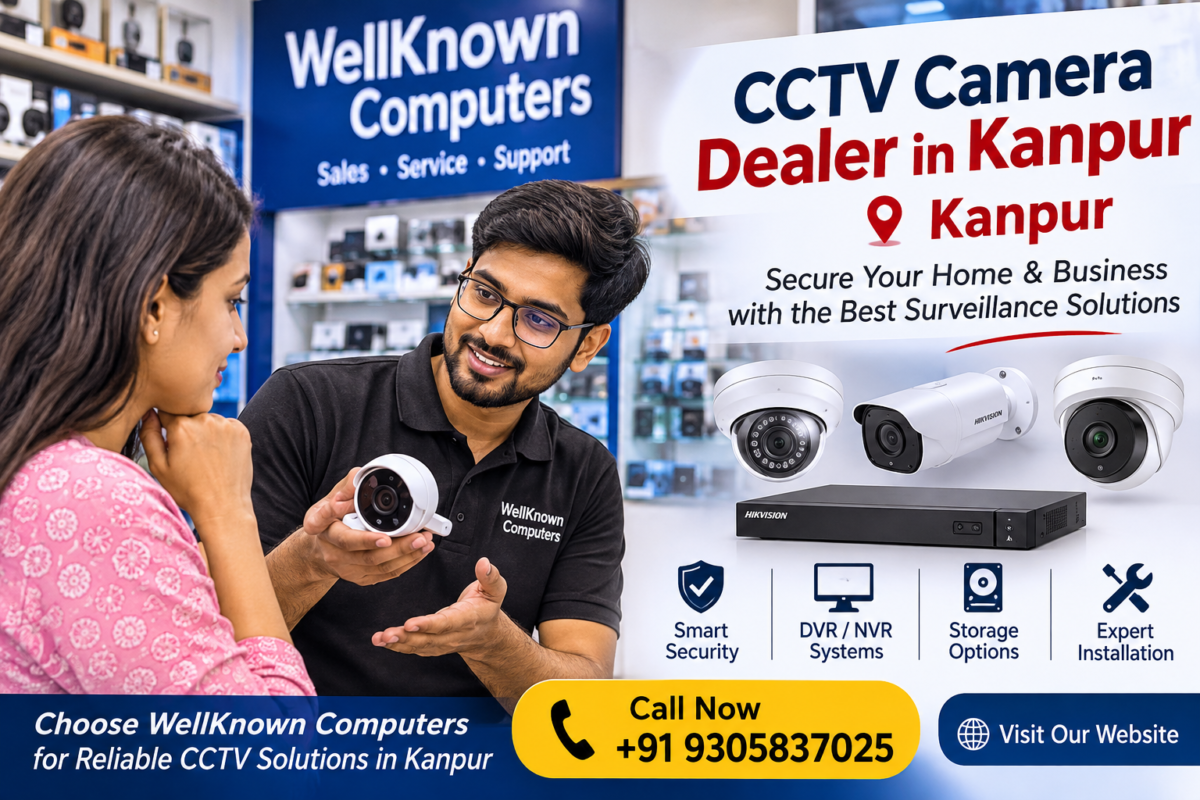
The right CCTV setup depends on where you are installing it and what you need to see. For entrances and indoor areas, dome cameras are discreet. For outdoor gates and long views, bullet cameras are a common choice. For large open areas, a PTZ camera can cover more ground. IP cameras with an NVR give the best picture quality and flexibility, while analog (HD) cameras with a DVR can be a cost-effective choice for simple setups. Choose a resolution of around 2 to 4 megapixels for most homes and shops, add proper night vision, and plan the storage and the power backup before you buy.
Most people think about CCTV only after something goes wrong: a missing stock item, a damaged vehicle, a dispute at the counter or a break-in at the gate. At that point they realise two things. First, a camera that records poorly is almost as bad as no camera. Second, the person who installed it matters as much as the camera itself.
This guide is for homeowners, shop owners, office managers, school administrators and factory owners who want to buy sensibly. If you are looking for a CCTV camera dealer in Kanpur, we explain how a system works, the different camera types, how to size the storage, what installation involves, what affects the cost, and how to choose a dealer you can rely on. We have written it the way we would explain it at the counter.
Wellknown Computers has been serving customers in Kanpur since 2000.
Wellknown Computers Address: UGB-24 3rd Floor Somdutt Plaza, Kanpur, Uttar Pradesh 208001 Phone / WhatsApp: +91 9305837025 Website: https://wellknowncomputers.com/
How a CCTV System Works
A CCTV (closed-circuit television) system has a few basic parts.
- Cameras capture the video.
- A recorder (DVR or NVR) receives the video and stores it.
- Storage is a hard disk inside the recorder that holds the recordings.
- Cables or wireless links carry the video and, in many setups, the power.
- A display or a mobile app lets you watch live video and play back recordings.
- A power supply and backup keep everything running, including during power cuts.
A weak link in any of these parts affects the whole system. A great camera with a poor hard disk, or a good recorder without power backup, will let you down at the worst moment.
Types of CCTV Cameras
| Type | Strengths | Limits | Best for |
|---|---|---|---|
| Dome | Discreet, often vandal-resistant, neat look | Narrower range than bullet in many models | Indoors, shop interiors, offices, corridors |
| Bullet | Visible deterrent, good range, easy to aim | Easier to tamper with if within reach | Gates, outdoor walls, parking, boundary |
| PTZ (pan-tilt-zoom) | Can be moved and zoomed remotely, covers large areas | Higher cost, needs someone to control it or preset tours | Large open areas, factories, campuses |
| IP camera | Digital, high resolution, flexible, can use PoE | Needs a network and an NVR | New installations, higher quality needs |
| Analog (HD) camera | Cost-effective, works with coaxial cable and a DVR | Fewer smart features than IP | Basic setups, upgrading older systems |
| Wireless or Wi-Fi camera | Easy setup, fewer cables | Still needs power, depends on Wi-Fi strength | Homes, small shops, temporary use |
| 4G, solar or battery camera | Works where there is no wired network or power | Higher cost, depends on signal and battery | Farms, construction sites, remote locations |
Dome vs bullet camera: which should you choose?
This is a very common question, and the answer depends on where the camera goes.
- Choose a dome camera for indoor use, ceilings and places where you want a neat, less obvious look. Domes are harder to aim at the wrong spot, and many are designed to resist tampering.
- Choose a bullet camera for outdoor walls, gates and long views. Its visible shape acts as a deterrent, and it is easy to adjust.
- Choose a PTZ camera when you need to cover a wide area with fewer cameras, and when someone will use the controls or set preset positions.
IP camera vs analog camera: which is better?
An IP camera sends digital video over a network. It can offer higher resolution, more features and the convenience of PoE, which carries power and data over a single network cable. An analog or HD analog camera uses a coaxial cable and a DVR. It is often more economical and can reuse older cabling.
For a new installation where picture quality and flexibility matter, IP is usually the better long-term choice. If you are upgrading an old analog system on a budget, HD analog cameras can improve the picture without rewiring the whole building.
Wireless CCTV camera: what to know
A wireless CCTV camera sends video through Wi-Fi, but it still needs power, from a wire, a battery or a solar panel. It is easy to install, but the video depends on signal strength, so walls, distance and a busy network can cause drops. For a shop or office where reliability matters, wired cameras are generally more dependable. Wireless cameras suit homes and places where running cables is difficult.
A note on hidden and mini cameras
Small, hidden and mini cameras exist, but they carry serious privacy and legal concerns. Never place a camera in a washroom, changing room or any private space, and avoid hiding cameras from the people they record. Ask a professional if you are unsure.
DVR vs NVR: What Is the Difference?
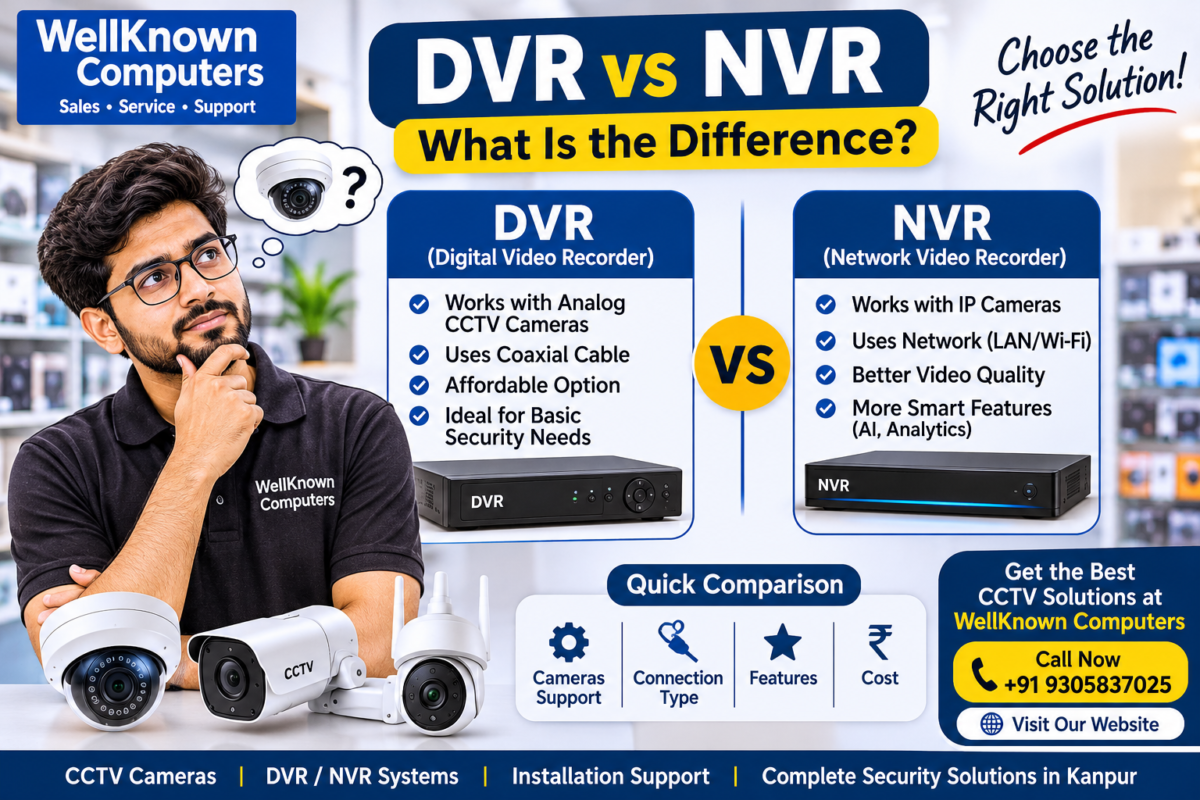
| Point | DVR (digital video recorder) | NVR (network video recorder) |
|---|---|---|
| Works with | Analog and HD analog cameras | IP cameras |
| Cabling | Coaxial cable plus a separate power supply | Network cable, often with PoE for power |
| Video quality | Good, up to the camera’s analog standard | Generally higher, with more resolution options |
| Flexibility | More limited | More flexible, easier to expand |
| Best for | Simple, budget or upgraded older systems | New installations and higher quality |
PoE (Power over Ethernet) lets a single network cable carry both video and power to an IP camera, which keeps installation tidy. The cable length is typically limited to around 100 metres, so check this for long runs.
Features That Matter When Choosing a Camera
- Resolution. 2 megapixels (Full HD) is common and enough for many homes and shops. 4 megapixels and above give more detail, but they also need more storage. More megapixels do not help if the camera is placed badly or has poor light.
- Night vision camera performance. Most cameras use infrared lights for black-and-white night images. Some models offer colour night vision. Check the stated range and test it in the dark if possible.
- Lens and field of view. A wider lens covers more area but shows less detail at a distance. A narrower lens zooms in on a gate or a counter.
- Wide dynamic range (WDR). Helps when a bright window or doorway sits behind the subject.
- Weatherproofing. For outdoor cameras, look for a recognised ingress protection rating such as IP66 or IP67 to resist dust and water.
- Audio. Some cameras can record sound. Check the local rules before you enable it, and tell people where it is used.
- Mobile viewing. Remote viewing is convenient, but it needs a secure setup, which we explain below.
- Compression. Modern compression such as H.265 reduces the storage you need for the same quality.
- Build quality. Metal bodies and good sealing last longer outdoors.
How Much Storage Do You Need?
Storage depends on the number of cameras, resolution, compression, frame rate and whether you record all the time or only when something moves.
Simple illustration, not a promise: a camera recording at about 2 Mbps uses roughly 21 to 22 GB per day. Four such cameras use roughly 86 GB a day, which is about 2.6 TB over 30 days of continuous recording. Real bitrates vary a lot with the camera, the scene and the settings.
Tips:
- Decide how many days of recording you want to keep (15, 30 or more).
- Use motion recording where continuous recording is not needed, to save space.
- Choose a hard disk designed for 24-hour surveillance use, since ordinary disks are not built for constant writing.
- Ask your dealer to calculate the storage for your exact camera count and resolution.
- Back up important footage, since a hard disk can fail. See our guide on data backup for small business.
Which Camera for Which Place?
CCTV camera for home
For a CCTV camera for home use, cover the main entrance, the back door, the gate and any blind spots. Indoor dome cameras suit hallways, and a bullet camera suits the outside. Wireless cameras are easy for flats, and wired cameras are more reliable for houses. Avoid cameras that look into neighbours’ homes or private areas. For a family, mobile viewing is useful, but secure it with strong passwords.
CCTV camera for shop and office
For a CCTV camera for shop use, place cameras at the entrance, the billing counter, key shelves and the storeroom. Make sure the counter camera captures faces and transactions clearly. A CCTV camera for office use should cover the entrance, reception, corridors and server or storage rooms, but not private areas such as washrooms or places where staff expect privacy. Tell employees that cameras are in use.
Schools, clinics and institutes
Corridors, entrances, parking and common areas are the usual spots. Be especially careful with privacy for children and patients, keep the recordings secure, and follow the institution’s policy.
Factories, godowns and warehouses
Large areas need wide coverage, good night vision, rugged weatherproof cameras and often PTZ cameras. Plan the cabling and power carefully, and use proper protection against dust and heat.
Gates, parking and outdoor areas
Use weatherproof bullet cameras with good night vision, positioned out of easy reach. Check for backlight from streetlights or the sun.
CCTV Installation in Kanpur: What to Expect
A good camera installed badly gives poor results. Professional CCTV installation in Kanpur should usually include these steps.
- Site survey. Walking through the premises to decide camera positions, angles and what each camera should cover.
- System design. Choosing camera types, resolution, recorder size and storage for your needs.
- Cabling and power. Running neat, protected cables, or setting up PoE or wireless links, with proper power supply.
- Mounting. Fixing cameras at a sensible height, out of easy reach and away from direct glare, usually above head height.
- Recorder setup. Placing the recorder in a ventilated, secure spot, and configuring recording and storage.
- Network and mobile viewing. Setting up remote viewing securely, with strong passwords.
- Testing. Checking the picture in daylight and at night, and checking playback.
- Handover and training. Showing you how to view, play back and export footage.
- Support. Agreeing who to call if something stops working. [Confirm what you provide.]
CCTV Camera Price in Kanpur: What Affects the Cost
Everyone asks about the CCTV camera price in Kanpur, but a single number can mislead. Prices change over time, and each setup is different, so ask your CCTV camera dealer in Kanpur for an itemized written quote. The main factors are:
- Number of cameras and the area to cover.
- Camera type and resolution. PTZ, IP and higher-resolution cameras cost more than basic ones.
- Recorder size (the number of channels it supports).
- Hard disk size and days of recording.
- Cabling length and difficulty of installation, such as outdoor or high-wall runs.
- Power backup, such as a UPS.
- Installation and configuration charges.
- Warranty and after-sales support.
Compare quotes fairly: ask what exactly is included (cameras, recorder, hard disk, cables, power supplies, installation), the warranty on each part, and the cost of adding more cameras later. A low price that leaves out the hard disk or cabling is not really low.
Power Cuts, Backup and Network Security
- Power backup. If the power goes out, your cameras and recorder stop, and that is exactly when you may need them. A UPS keeps them running for a while. Read our guide on a UPS dealer in Kanpur for sizing advice.
- Network security. Cameras and recorders connected to the internet can be hacked if they are poorly set up. Change default passwords, keep the firmware updated and avoid exposing the recorder directly to the internet.
- Access and entry. CCTV works well with other security measures such as a biometric attendance machine for controlled entry.
Privacy and Responsible Use
- Do not place cameras in washrooms, changing rooms or other private spaces.
- Do not point cameras into neighbours’ homes or areas where people expect privacy.
- Inform people. A visible notice that CCTV is in use is good practice at shops, offices and public areas.
- Be careful with audio. Recording sound can raise additional legal and privacy concerns.
- Protect the footage. Limit who can view and export it, and keep passwords strong.
- Keep recordings only as long as needed, and delete them when they are no longer required.
- Check current rules. Privacy and surveillance rules can change, so ask a professional if you are unsure about your situation.
How to Choose a CCTV Camera Dealer in Kanpur
A good purchase is a two-way conversation. You should ask the dealer the right questions, and a good dealer should ask you a few questions too.
Questions you should ask the dealer
- Can you survey my premises before giving a quote?
- What exactly is included in the price? Cameras, recorder, hard disk, cables, power supplies and installation.
- How many days of recording will I get with this hard disk?
- What is the warranty on the cameras, the recorder and the hard disk? Ask for each separately.
- Will I get a proper GST bill and warranty card?
- How will I view the footage on my phone, and how is it secured?
- What backup do you recommend for power cuts?
- Who provides support if something stops working, and how fast?
- Do you offer maintenance plans for offices and shops?
Questions a good dealer will ask you
- Where will the cameras go, and what do you need to see? Faces, number plates, a counter or a wide area.
- How many cameras do you need now, and later?
- Is it indoors or outdoors? Dust, rain and sun change the choice.
- How many days of footage do you want to keep?
- Do you want remote viewing on your phone?
- What is the lighting like at night?
- Is there a power backup?
Red flags
Be careful with any CCTV camera dealer in Kanpur who quotes without seeing the site or asking what you need, pushes the highest megapixel count regardless of your use, leaves out the hard disk or cabling from the quote, offers no bill or warranty, or cannot explain how many days of recording you will get. A very cheap system with weak cameras and no service often costs more in the end.
About Wellknown Computers: A CCTV Camera Dealer in Kanpur You Can Walk Up To
Since 2000, Wellknown Computers has been helping homes, offices and institutions in Kanpur with computers and related equipment. When you ask us about CCTV, we start with what you want to protect and what you need to see, then explain the options in plain language, including the storage and power backup, before you decide. We will also tell you honestly when a smaller or simpler setup is enough.
Visit us: 3rd Floor Somdutt Plaza, Kanpur, Uttar Pradesh 208001 Call / WhatsApp: +91 9305837025 Website: https://wellknowncomputers.com/
Products and services
- Dome, bullet and PTZ cameras
- IP cameras with NVR and analog (HD) cameras with DVR
- Wireless and Wi-Fi cameras for homes and small shops
- Hard disks, cables, power supplies and accessories
- UPS for CCTV systems
- Site survey and installation
- Maintenance and support
- Brands we deal in: (Ezviz, CP-Plus, secureye, Hikvision, Dahua,)
Who we serve : Homes and apartments, shops and showrooms, offices, schools and coaching centres, clinics and laboratories, factories and godowns.
We also supply computers, printers, UPS and accessories, so you can arrange your whole setup in one visit. https://wellknowncomputers.com/
Common Mistakes to Avoid
- Choosing only by megapixels. Placement, lighting and lens matter just as much.
- Skipping the storage calculation. You may find only a few days of recording when you need them.
- Using an ordinary hard disk that is not designed for constant recording.
- Forgetting power backup. A cut can switch off the whole system.
- Leaving default passwords on cameras and recorders.
- Poor camera placement, such as pointing into bright light or mounting within easy reach.
- Covering private spaces or ignoring privacy rules.
- Choosing on price alone, without checking warranty and support.
Quick Checklist Before You Buy
- Areas to cover and what you need to see
- Camera types chosen for each area
- Resolution suited to the purpose
- Night vision checked
- DVR or NVR decided, with enough channels
- Storage calculated for your number of days
- Surveillance-grade hard disk
- UPS for the cameras and recorder
- Secure remote viewing with strong passwords
- Written quote, GST bill and warranty card
- Installation and support confirmed
Frequently Asked Questions
How do I choose a reliable CCTV camera dealer in Kanpur?
Choose a dealer who surveys your premises or asks what you need, gives an itemised written quote, explains the storage and power backup, provides a GST bill and a warranty card, and offers local support. A shop you can visit again after the sale is a good sign.
Which type of CCTV camera is best for home?
A combination often works best: a bullet camera outside for the gate and entrance, and a dome camera inside for hallways. Wireless cameras are easy for flats, and wired cameras are more reliable for houses.
What is the difference between a DVR and an NVR?
A DVR works with analog and HD analog cameras connected by coaxial cable, while an NVR works with IP cameras over a network. NVR systems generally offer higher resolution and more flexibility.
Dome vs bullet camera: which is better?
Dome cameras suit indoor use and a discreet look, while bullet cameras suit outdoor use, longer views and a visible deterrent. The right choice depends on where the camera will be placed.
IP camera vs analog camera: which should I buy?
IP cameras give higher resolution and more features and suit new installations. Analog (HD) cameras are cost-effective and can reuse older cabling. Choose according to your budget and quality needs.
How many megapixels do I need?
2 to 4 megapixels are enough for most homes and shops. Higher resolution gives more detail but needs more storage, and it only helps if the camera is well placed and has good light.
How much hard disk do I need for CCTV?
It depends on the number of cameras, resolution, compression and the number of days you want to keep. As a simple illustration, four cameras recording continuously at about 2 Mbps need roughly 2.6 TB for 30 days. Ask your dealer to calculate it for your setup.
Can CCTV work during a power cut?
Only if the cameras and recorder are connected to a UPS or another backup power source. Without it, the system stops during a power cut.
Is a wireless CCTV camera as good as a wired one?
Wireless cameras are easier to install, but they still need power and depend on signal strength. For shops and offices where reliability matters, wired systems are generally more dependable.
Is it legal to install CCTV at home or in a shop?
Cameras in your own premises are common, but you must respect privacy. Do not record in washrooms, changing rooms or private spaces, and avoid pointing cameras into neighbours’ homes. Rules can change, so check with a professional.
CCTV camera kaun sa lena chahiye?
Pehle ye dekho ki camera kahan lagana hai aur kya dekhna hai. Andar ke liye dome, bahar ke liye bullet, aur bade area ke liye PTZ camera sahi rehta hai. Resolution 2 se 4 megapixel kaafi hota hai. Hard disk, UPS aur warranty zaroor poochho. Store par aakar apna layout bata do, hum sahi salah denge.
Need Help With CCTV? Talk to Our Team
Tell us where you want to install cameras and what you need to see, and we will help you plan a simple, reliable setup. If you are still comparing options for a CCTV camera dealer in Kanpur, visit Wellknown Computers at 3rd Floor Somdutt Plaza, Kanpur, Uttar Pradesh 208001, call or WhatsApp us on +91 +91 9305837025, or see our website at https://wellknowncomputers.com/.