

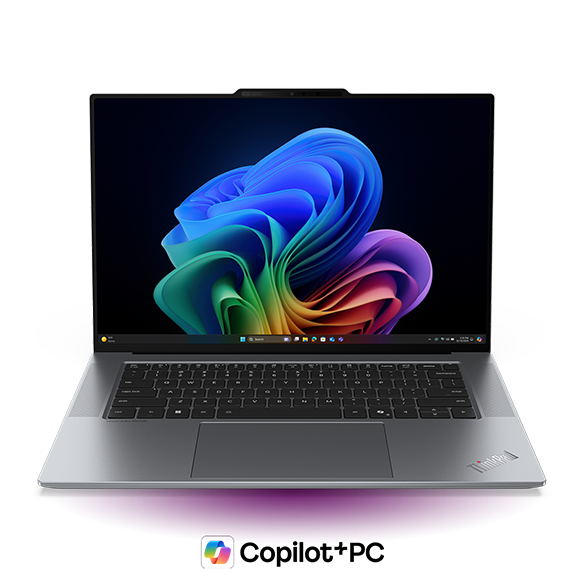
Choosing the best laptop for coding and programming is an important decision for students, aspiring developers, and experienced software professionals. Whether you are learning your first programming language, developing websites, building applications, or working on complex software projects, the right laptop can make your work smoother and more productive.
A good programming laptop does not necessarily need to be the most expensive model. Its processor, RAM, SSD storage, display, keyboard, and battery life should match the software you plan to use. A student learning Python has different requirements from a developer running virtual machines, building Android applications, or working with large datasets.
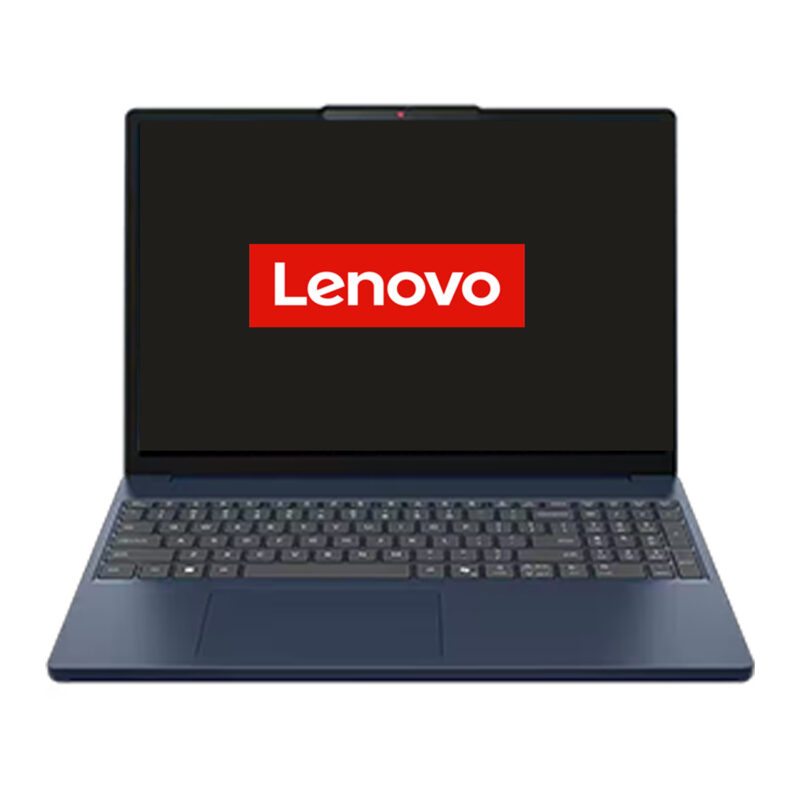
Lenovo laptops are available in different performance categories, making it possible to choose a configuration according to your requirements and budget. If you are searching for the best Lenovo laptop for coding and programming in Kanpur, Wellknown Computers can help you explore suitable options at its Somdutt Plaza, Kakadeo, and Govind Nagar locations.
This guide explains the specifications that matter, the differences between Lenovo laptop series, common buying questions, and practical checks to complete before purchasing your next programming laptop.
Why Choosing the Best Laptop for Coding and Programming
Programming involves more than writing code in a single application. During a typical development session, you may use a code editor, browser, terminal, debugging tools, documentation, and a local development server simultaneously.
If your laptop has limited RAM or slow storage, switching between applications may become frustrating. Larger projects can take longer to build, and resource-intensive development tools may struggle to run smoothly.
A suitable laptop helps you:
- Write, test, and debug code comfortably.
- Run development software without unnecessary slowdowns.
- Keep multiple applications open while working.
- Manage project files, databases, and development environments.
- Complete college assignments and professional projects efficiently.
- Continue learning new programming technologies as your skills develop.
The goal is to find a laptop that supports your current work without making you pay for hardware you may never use.
What Makes a Lenovo Laptop Suitable for Programming?
The best laptop for coding and programming should provide a practical balance between performance, reliability, comfort, and price. Instead of choosing a laptop based only on its advertised specifications, consider how you will use it every day.
1. Processor: The Foundation of Your Coding Setup
The processor influences application responsiveness, compilation speed, multitasking, and the performance of demanding development tools.
For beginners learning HTML, CSS, JavaScript, or Python, a modern entry-level processor may be sufficient. Developers working on larger applications, compiling substantial projects, or running multiple services may benefit from a more powerful processor.
When comparing Lenovo laptops, consider these broad categories:
- Entry-level configurations: Suitable for introductory programming, basic scripting, web development fundamentals, and college assignments.
- Mid-range configurations: Appropriate for regular development, multitasking, and more demanding projects.
- Higher-performance configurations: Worth considering for intensive builds, virtual machines, complex application development, and specialised workloads.
Processor generation, core configuration, power limits, and cooling can all affect actual performance. Compare the complete specifications of the laptop rather than relying on the processor name alone.
For many students and general developers, a modern mid-range processor combined with sufficient RAM and an SSD is a sensible starting point.
2. RAM: How Much Memory Do You Need?
RAM helps your laptop keep applications and active data readily available while you work. Insufficient memory can limit multitasking and make demanding development environments less responsive.
8GB RAM: Suitable for basic programming lessons, simple scripts, lightweight code editors, and introductory projects. It can become restrictive when several applications run simultaneously.
16GB RAM: A practical target for many students and software developers. It offers more flexibility for code editors, browser tabs, local servers, and everyday multitasking.
32GB RAM or more: Worth considering for larger projects, virtual machines, containers, Android emulators, and memory-intensive workloads.
These are general guidelines, not fixed requirements. The amount of RAM you need depends on your development tools and project size.
Before buying a Lenovo laptop, check whether its RAM is upgradeable or soldered. If you expect your requirements to grow, upgrade flexibility may be an important deciding factor.
3. SSD Storage: Keep Your Development Environment Responsive
A solid-state drive (SSD) generally provides faster boot times, quicker application loading, and more responsive file access than a traditional mechanical hard drive.
Programming software, development libraries, databases, project files, and virtual machines can consume considerable storage over time.
Use these capacities as a starting point:
- 256GB SSD: Suitable for lighter programming work with careful storage management.
- 512GB SSD: A practical choice for many students and general developers.
- 1TB SSD: Useful for larger projects, multiple development environments, datasets, and virtual machines.
For many buyers, 16GB RAM and a 512GB SSD provide a good balance between cost and everyday usability. If you work with large datasets or several development environments, consider additional storage.
Always confirm the exact storage configuration and upgrade options before purchasing.
4. Display and Keyboard Comfort
Programmers spend long periods reading code, reviewing documentation, and comparing files. A clear display and comfortable keyboard can make a noticeable difference to the daily experience.
A 14-inch laptop may be easier to carry between college and home. A 15-inch or 16-inch display offers more workspace for multiple windows.
Look for a Full HD or higher-resolution display, suitable brightness, comfortable viewing angles, and an anti-glare finish where available.
The keyboard deserves equal attention. Check key spacing, typing comfort, shortcut placement, and whether a backlit keyboard would be useful for your working environment.
If possible, try the keyboard and view the display in person before making your final decision.
5. Battery Life, Portability, and Build Quality
Students often carry their laptops between classes, libraries, and home, while professionals may move between meetings and workspaces.
A lightweight laptop is convenient for travel, whereas a larger performance-oriented configuration may be more suitable for desk-based development.
Battery life depends on the processor, display, battery capacity, brightness, and workload. Running development environments, virtual machines, or emulators can consume more power than basic browsing.
Check realistic usage expectations, available ports, ventilation, hinge design, warranty coverage, and service terms. These factors matter when choosing a laptop for daily use over several years.
Which Lenovo Laptop Series Should You Consider?
Lenovo offers laptop families designed for different usage patterns. The right choice depends on your workload and preferred configuration.
Lenovo IdeaPad: A Practical Option for Students
The Lenovo IdeaPad range is worth considering if you need a laptop for college, introductory programming, everyday productivity, and personal projects.
A suitable IdeaPad configuration can handle programming lessons, website development, research, documentation, and general multitasking.
When comparing models, prioritise:
- A modern processor suited to your course.
- 16GB RAM where your budget allows.
- A 512GB SSD for comfortable storage capacity.
- A clear display and comfortable keyboard.
- Practical battery life and portability.
Not every IdeaPad has the same hardware. Check the specifications of the exact model before deciding whether it meets your development requirements.
Lenovo ThinkPad: For Regular Software Development
The Lenovo ThinkPad family is worth exploring if you spend long hours typing, develop software regularly, or need a productivity-focused laptop.
Keyboard comfort, build design, connectivity, and configuration options are important considerations.
A suitable ThinkPad configuration can support web development, backend programming, software testing, and business applications, depending on its hardware.
If your work involves virtual machines, containers, or large projects, pay particular attention to RAM capacity, processor performance, and SSD storage.
Lenovo LOQ: For Graphics-Intensive Programming
Some developers need more than a standard coding environment. Game development, 3D applications, and certain machine-learning workloads may benefit from a dedicated graphics processor.
A suitable Lenovo LOQ configuration can be worth considering when your work requires these capabilities.
However, a dedicated graphics card is not necessary for most basic coding tasks. If you mainly develop websites or write ordinary Python scripts, investing in graphics hardware may not provide meaningful benefits.
Also consider weight, cooling, fan noise, and battery life before selecting a performance-oriented laptop.
Lenovo Yoga: For Portability and Versatility
Selected Lenovo Yoga models may suit developers who value portability, display quality, and flexibility for study or work.
Depending on the configuration, they may be suitable for web development, programming assignments, meetings, and general productivity.
Check the processor, memory, storage, keyboard, ports, and upgrade limitations carefully. Some thin-and-light configurations have memory that cannot be upgraded later.
Best Lenovo Laptop Specifications for Different Programming Needs
| Programming requirement | Suggested configuration |
| Beginners learning to code | Modern entry-level processor, 8GB–16GB RAM, 256GB–512GB SSD |
| College students and web developers | Modern mid-range processor, 16GB RAM, 512GB SSD |
| Full-stack and application development | Mid-range or higher processor, 16GB–32GB RAM, 512GB–1TB SSD |
| Android development | Capable multi-core processor, preferably 16GB–32GB RAM, 512GB–1TB SSD |
| Virtual machines and containers | Higher-performance processor, 32GB RAM where practical, sufficient SSD capacity |
| GPU-intensive development | Compatible dedicated GPU where required, adequate RAM, suitable SSD storage |
These configurations are general starting points. Always check the current requirements of the software you intend to use.
Which Laptop Is Suitable for Different Programming Languages?
Python Programming
Python is used for learning programming, automation, web applications, data analysis, and machine learning.
For learning Python and writing everyday scripts, a modern processor, 8GB–16GB RAM, and an SSD are generally sufficient.
If you plan to process large datasets or run local machine-learning workloads, consider additional memory and any specialised hardware your software requires.
Web Development
Web developers often use a code editor, browser, local server, terminal, and documentation simultaneously.
A Lenovo laptop with a modern mid-range processor, 16GB RAM, and a 512GB SSD is a useful target for many web development workflows.
Larger full-stack projects and container-based environments may benefit from additional memory.
Java and C++ Programming
Java and C++ development can involve larger projects, build tools, testing frameworks, and compilation tasks.
For regular development, prioritise a capable processor, sufficient RAM, and fast SSD storage. A 16GB configuration is a useful starting point, while demanding projects may benefit from 32GB.
Android Development
Android development can be demanding because the development environment, build tools, and emulator may run simultaneously.
Look for a capable multi-core processor, sufficient RAM, and adequate SSD storage. A 16GB configuration may suit some projects, while 32GB can offer more flexibility for larger applications and multitasking.
A Practical Laptop-Buying Checklist for Kanpur Customers
Before visiting a store or placing an order, make a short list of your requirements. This helps you compare configurations based on practical needs instead of choosing only by price or appearance.
Step 1: Identify Your Main Purpose
Are you learning programming, completing a computer science degree, developing websites, building mobile applications, or working with machine learning?
Your main workload determines which specifications deserve the most attention.
Step 2: Set a Realistic Budget
Decide how much you want to spend before comparing models. A higher budget may offer better performance or additional features, but the most expensive configuration is not automatically the best choice for your work.
Step 3: Compare RAM and Storage Together
A laptop with a powerful processor but insufficient RAM may not deliver the experience you expect during multitasking. Likewise, limited storage can become inconvenient as development tools and projects accumulate.
Compare the complete configuration rather than focusing on one specification.
Step 4: Check Upgrade Options
Ask whether RAM and SSD storage can be upgraded, what the supported limits are, and whether any changes may affect the warranty.
This is especially important if you intend to keep the laptop for several years.
Step 5: Review Warranty and Software Compatibility
Confirm the warranty terms, included operating system, and compatibility with your required programming tools.
For specialised development software, check the official system requirements before purchasing.
Why Visit Wellknown Computers for a Lenovo Laptop in Kanpur?
Choosing a laptop is easier when you understand the differences between configurations and can evaluate your requirements before purchasing.
Wellknown Computers has locations in Somdutt Plaza, Kakadeo, and Govind Nagar, Kanpur. Buyers can use these locations as convenient points of enquiry when exploring Lenovo laptop options for study, coding, and professional development.
When visiting, explain what you intend to do with your laptop. For example, a student learning web development may need a different configuration from a developer running Android emulators or virtual machines.
Useful questions to discuss include:
- Which available Lenovo configurations are suitable for my programming needs?
- Is 8GB RAM sufficient for my software, or should I choose 16GB?
- Can I upgrade the RAM or SSD later?
- Which screen size will be more comfortable for my daily work?
- What are the differences between the available IdeaPad, ThinkPad, LOQ, and Yoga configurations?
- What warranty and support terms apply to the selected model?
- What is the current price and availability of the configuration I need?
Use these questions to compare the available options and make a decision based on your actual workload.
Visit Wellknown Computers in Kanpur
Somdutt Plaza, Kanpur: A convenient location for buyers in the central Kanpur and Naveen Market area who want to enquire about Lenovo laptops.
Kakadeo, Kanpur: A useful option for students, learners, and professionals in the Kakadeo and surrounding areas looking for a suitable programming laptop.
Govind Nagar, Kanpur: An additional location for buyers in Govind Nagar and nearby neighbourhoods who want to discuss their laptop requirements.
Before visiting, confirm the current store address, opening hours, availability, and contact details through Wellknown Computers’ official channels.
The aim is to select a laptop that fits your budget, supports your software, and provides the right balance between performance and portability.
Common Mistakes to Avoid When Buying a Coding Laptop
Choosing Only by Processor Name
A processor is important, but cooling, memory, power limits, and the complete laptop design also affect performance.
Buying Too Little RAM
Limited memory can restrict multitasking as projects grow. Consider 16GB where your budget allows, particularly if you expect to run several development tools together.
Ignoring Storage Capacity
Development software, project files, virtual machines, and datasets can consume considerable storage. Select capacity according to your actual needs.
Assuming Every Laptop Supports Upgrades
Some configurations have limited upgrade options. Check the exact model before purchasing if future expansion is important.
Paying for Unnecessary Features
Most basic programming does not require a dedicated GPU. Spend more only when your workload benefits from the additional hardware.
Frequently Asked Questions
1. Which Lenovo laptop is best for coding and programming?
The best model depends on your workload. A suitable IdeaPad configuration may work well for students, selected ThinkPad models can suit regular development, and LOQ configurations may be appropriate for graphics-intensive work. Compare exact specifications before deciding.
2. Is 8GB RAM enough for programming?
It can be enough for basic programming lessons, simple scripts, and lightweight projects. For broader multitasking and more demanding development environments, 16GB is a more flexible target.
3. Is 16GB RAM good for a coding laptop?
Yes. It is a practical starting point for many students and developers. Users running several virtual machines, large datasets, or demanding emulators may benefit from 32GB or more.
4. How much SSD storage do I need?
A 256GB SSD can suit basic programming, while 512GB is a practical choice for many users. Consider 1TB if you work with large projects, datasets, or multiple development environments.
5. Do I need a graphics card for programming?
Most basic coding and web development tasks work well with integrated graphics. A dedicated GPU may be useful for compatible machine-learning workloads, game development, and 3D applications.
6. Which Lenovo laptop is suitable for computer science students?
Look for a modern processor, sufficient RAM, an SSD, a comfortable keyboard, and a clear display. For many students, 16GB RAM and a 512GB SSD are sensible targets, subject to budget and course requirements.
7. Can I use a Lenovo laptop for Android development?
Yes, if the exact configuration meets the development environment’s requirements. Android development can benefit from a capable processor, adequate memory, and sufficient SSD storage. When selecting the best laptop for coding and programming in 2026, it’s crucial to prioritize performance and reliability. A powerful processor, ample RAM, and fast SSD storage are essential for handling demanding tasks seamlessly. In addition, features like a high-resolution display and ergonomic design can significantly enhance productivity during long coding sessions. Ultimately, choosing the right Lenovo laptop can make all the difference in your development experience.
8. Where can I enquire about Lenovo coding laptops in Kanpur?
You can contact Wellknown Computers or enquire at its Somdutt Plaza, Kakadeo, and Govind Nagar locations. Confirm current model availability, pricing, and warranty terms before purchasing.
Wrap Up
The best laptop for coding and programming is the one that supports your work comfortably without exceeding your needs or budget.
For many students and developers, a Lenovo laptop with a modern processor, 16GB RAM, and a 512GB SSD is a sensible configuration to consider. More demanding workloads may require additional memory, higher processing performance, or specialised graphics hardware.
Before making your purchase, compare the exact specifications, check software compatibility, and consider future upgrade requirements.
If you are looking for the best laptop for coding and programming in Kanpur, Wellknown Computers offers three local points of enquiry: Somdutt Plaza, Kakadeo, and Govind Nagar.
Identify your requirements, ask the right questions, and choose a configuration that supports your learning and development goals.