

UPS Dealer in Kanpur: How to Choose the Best UPS for Your Home and Office

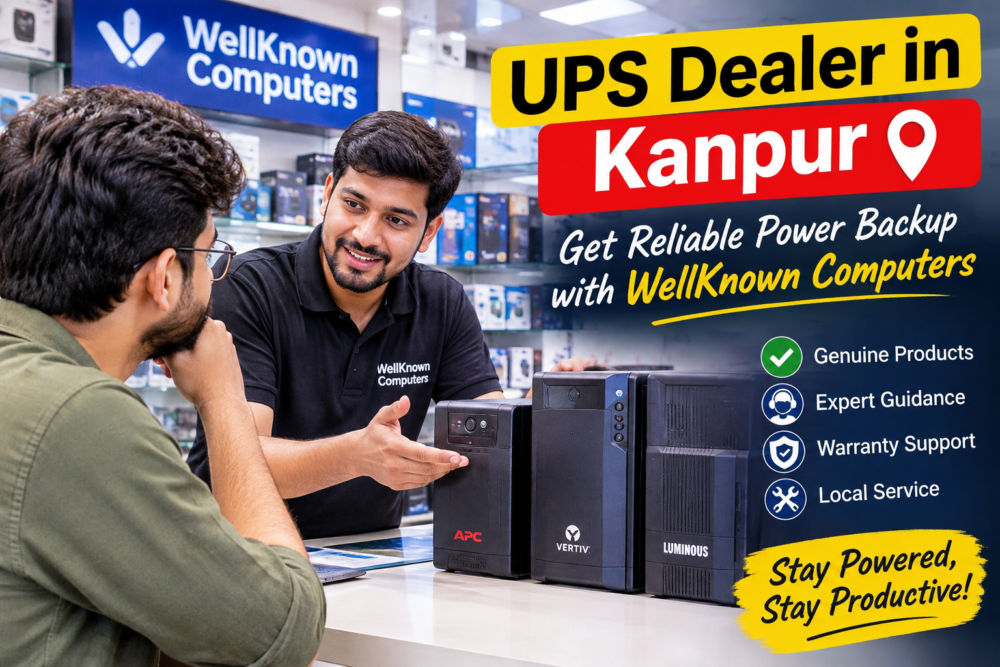
For a typical home or office desktop, a line-interactive UPS with pure sine wave output and enough watts (not only VA) to cover your computer, monitor and router is the practical choice. Add up the watts of everything you will plug in, leave around 20 to 30 percent spare, and choose a UPS rated above that figure. Use an online UPS for servers and critical equipment. Do not put a laser printer or heaters on a small UPS. A UPS gives you minutes of backup, not hours, so its job is to keep your work safe while you save and shut down properly.
It happens in a second. The lights flicker, the screen goes black, and the document you were typing for an hour is gone. Or worse, the computer will not start the next morning because a sudden power cut or a voltage spike has damaged something inside it.
This is why a UPS is one of the cheapest and most useful pieces of equipment you can buy for a computer. In this guide we explain what a UPS does, how it differs from an inverter and a surge protector, how to choose the right type and size, how long the backup will last and how to look after the battery. If you are searching for a UPS dealer in Kanpur, we also cover what to ask before you buy, because the advice you get at the counter matters as much as the product.
A Trusted Firm In Kanpur WellKnown Computers has been serving customers in Kanpur since 2000.
Well Known Computers Address: 3rd Floor Somdutt Plaza, Kanpur, Uttar Pradesh 208001 Phone / WhatsApp: +91 9305837025 Website: https://wellknowncomputers.com/
What Is a UPS and Why Does a Computer Need One?
UPS stands for uninterruptible power supply. It is a box with a battery and circuitry that sits between the wall socket and your equipment. When the power goes out, it switches to its battery within a fraction of a second, so the computer keeps running long enough for you to save your work and shut down safely. Many models also smooth out voltage dips and surges before they reach your devices.
A computer needs this protection because:
- A sudden power loss can corrupt files and damage the operating system.
- A hard disk can be harmed if power drops while it is writing data.
- Voltage spikes and drops can damage the power supply and other parts over time.
- Unsaved work disappears. Billing entries, documents and spreadsheets are lost.
- Network equipment and data such as routers and storage devices also need clean power.
If you also keep backups, which we recommend in our guide to data backup for small business, a UPS protects the machine that makes those backups.
UPS vs Inverter vs Surge Protector
People often mix these up, so here is the difference.
| Point | UPS | Inverter | Surge protector |
|---|---|---|---|
| Main job | Instant battery backup for sensitive equipment | Longer backup for lights, fans and appliances | Blocks voltage spikes |
| Switch-over to battery | Very fast, designed for computers | Slower, may restart a computer | No backup at all |
| Backup time | Minutes, enough to save and shut down | Hours, depending on battery size | None |
| Protects against power cuts | Yes, briefly | Yes, for longer | No |
| Protects against spikes | Yes, to varying degrees | Usually limited | Yes |
| Best for | Computers, routers, servers, billing counters | Home appliances | Basic spike protection |
UPS vs inverter for computer: which is better?
For a computer, a UPS is the better tool because it switches over almost instantly, while many inverters take a moment to change over, which can be long enough to restart a computer. An inverter is built for longer backup of lights and fans. Some people connect a computer to an inverter that is designed for it, but a UPS remains the safer choice for sensitive equipment. If you need hours of backup for your computer, ask about a UPS with an external battery or a setup designed for longer runtimes.
A surge protector is a useful extra, but it does not keep your computer on during a power cut.
Online vs Offline UPS: The Main Types
| Type | How it works | Strengths | Limits | Best for |
|---|---|---|---|---|
| Offline (standby) | Passes mains power through, switches to battery in an outage | Lowest price, simple | Brief switch-over delay, less voltage correction | Basic home use |
| Line-interactive | Like offline, plus it corrects small voltage rises and drops without using the battery | Good balance of price and protection | Not as clean as online | Home computers, small offices, billing counters |
| Online (double conversion) | Always runs your equipment from the inverter, so there is no switch-over | Best protection and clean power | Higher price, more heat and noise | Servers, network equipment, critical systems |
For most homes and small offices, a line-interactive UPS is the sweet spot. Choose an online UPS when downtime or a corrupted file would be costly.
Pure sine wave or simulated sine wave?
A UPS outputs electricity in a particular waveform when it runs on battery. Pure sine wave is the cleanest and matches normal mains power. Simulated (stepped) sine wave is cheaper. Many modern computer power supplies handle simulated waves, but some, especially those with active power factor correction, may misbehave or shut down on them. A pure sine wave output is the safer choice for desktops, all-in-one PCs and sensitive equipment. Check this in the specifications before you buy.
How to Choose the Right UPS Size: VA, Watts and Load
This is where most buyers go wrong. A UPS has two ratings: VA (volt-amperes) and watts. VA is the apparent power, and watts is the real power the UPS can actually deliver. The watt rating is always lower than the VA rating, and the relationship depends on the model. Always check the watt rating, not just the VA number on the box.
Step by step:
- List what you will connect: computer, monitor, router and modem, and anything else that must stay on.
- Find the watts of each device from its label or manual.
- Add them up to get your total load.
- Add 20 to 30 percent for headroom and future additions.
- Choose a UPS whose watt rating is above that total.
Simple illustration, not a recommendation: suppose a desktop uses 200 W, a monitor 30 W and a router 10 W. The total is 240 W. Add 25 percent and you get about 300 W. You would look for a UPS rated for at least 300 W, which could be a different VA rating depending on the model.
Tell your UPS dealer in Kanpur exactly what you plan to connect, and ask them to confirm the watt rating, not just the VA figure. If you plan to add devices later, buy a little extra capacity now.
UPS Battery Backup Time: What to Expect
Backup time depends on the battery capacity and the load you connect. The lighter the load, the longer the backup.
- A standard computer UPS usually gives minutes, not hours. That is by design: enough time to save and shut down properly.
- A heavier load shortens the backup. A computer, monitor and printer together drain the battery faster than a computer alone.
- Older batteries give less time. Backup drops as the battery ages.
- For longer backup, look at a UPS that supports an external battery, or a different power solution designed for it.
Ask your dealer for the expected backup time at your actual load, not at a light test load.
UPS for Home Computer and UPS for Desktop
For a UPS for home computer use, a compact line-interactive UPS with pure sine wave output is usually enough. A UPS for desktop use should cover the tower or all-in-one, the monitor and the router. Do not connect a heater, an iron, an air conditioner or a water pump to a computer UPS. Those loads are far too heavy. Connect the router and modem to the UPS as well, since an internet connection that survives a power cut is often what you really need for online classes and work from home.
UPS for Office
A UPS for office use depends on how many computers you have.
- One UPS per computer is the simplest and gives each person time to save and shut down.
- A larger UPS for a group of computers can save money, but check the total load carefully and remember that one failure affects everyone.
- Servers, network storage and network switches deserve an online UPS and, ideally, automatic shutdown software that shuts the server down cleanly.
- Protect your router and modem so that your office stays connected during short cuts.
Also think about our guide on choosing desktops and all-in-one computers for your office, since the computers you buy decide the load your UPS must carry.
UPS for Printer, Attendance Machine and Billing Counters
UPS for printer: inkjet and ink tank printers draw modest power and are usually fine on a UPS with enough capacity. Laser printers are a different story. Their heating element draws a large burst of power, and connecting one to a small computer UPS can overload it. Plug laser printers into a surge-protected power strip, or use a UPS rated for it, and ask your dealer. See our guides on printer dealers in Kanpur and inkjet vs laser vs ink tank printers.
Attendance machines: a biometric attendance machine often has a small built-in battery, but a UPS keeps it running through longer cuts and protects it from spikes. Read our guide to the biometric attendance machine.
Billing counters and shops: a small UPS for the billing computer, thermal printer and router keeps sales going and prevents lost entries.
Features to Check Before You Buy
- Watt rating and VA rating. Check both.
- Type: offline, line-interactive or online.
- Waveform: pure sine wave if possible.
- Backup time at your load.
- Number and type of outlets, and whether some are surge-only.
- Automatic voltage regulation (AVR) for voltage dips and rises.
- Display or indicators that show load, battery level and faults.
- Alarms for overload and low battery.
- USB monitoring and shutdown software for servers and important computers.
- Battery type and warranty, and how easy the battery is to replace.
- Recognised safety certification as applicable. Ask your dealer.
- Size, noise and cooling, especially for a quiet room.
Best UPS for Computer: Quick Guide by Situation
There is no single best UPS for computer use, because the right unit depends on what you connect. Here is a simple starting point.
| Situation | What to look for |
|---|---|
| Student or home desktop with router | Compact line-interactive, pure sine wave, enough watts for computer, monitor and router |
| Small shop billing counter | Line-interactive with a few outlets, covering the computer, printer (if inkjet or thermal) and router |
| Small office, several computers | One UPS per computer, or a larger unit after careful load calculation |
| Server, NAS or network equipment | Online UPS with shutdown software |
| Equipment that needs long backup | UPS with external battery option, or a purpose-built power setup |
Installation, Safety and Battery Care
- Place the UPS in a ventilated spot, away from direct heat, sunlight and moisture. Never put it in a closed cabinet.
- Do not overload it. Stay below the watt rating.
- Do not plug heavy appliances into it, such as heaters, irons or air conditioners.
- Do not chain extension boards to a UPS.
- Charge a new UPS fully before first heavy use, as the instructions say.
- Check the battery regularly. Sealed lead-acid batteries in typical UPS units often last around three to five years, depending on heat, usage and the number of power cuts. Heat shortens battery life.
- Replace the battery when backup time drops sharply, the alarm sounds often or the unit shows a battery fault. Do not wait for it to fail during a power cut.
- Never open the UPS yourself. It can store dangerous voltages even when switched off.
- Test it occasionally by unplugging the mains with a non-critical load, as the manual suggests.
UPS in Kanpur: Power Cuts, Heat, Dust and Monsoon
If you are choosing a UPS in Kanpur, a few local conditions deserve attention.
- Power cuts and voltage changes are common in many Indian cities, so look for a UPS with good voltage correction, not just battery backup.
- Summer heat speeds up battery ageing. Keep the UPS ventilated and out of the sun.
- Dust blocks vents and shortens life. Clean the outside gently.
- Monsoon humidity can damage electronics, so keep the UPS and cables dry.
- Local service. When a battery fails or the unit develops a fault, it helps to have a seller nearby who can help quickly.
How to Choose a UPS Dealer in Kanpur
A good purchase is a two-way conversation. You should ask the dealer the right questions, and a good dealer should ask you a few questions too. Here is what to expect from both sides.
Questions you should ask the dealer
- Can you help me work out my load and confirm the watt rating I need?
- What backup time will I get at my load?
- Is the battery included, and what is the warranty on the unit and on the battery? Ask for the two warranties separately.
- Will I get a proper GST bill and warranty card?
- Can I see the UPS and its specifications before I pay?
- Who replaces the battery when it wears out, and how quickly?
- Is there local service, and what happens if the unit fails?
- Do you offer bulk pricing and installation for offices?
Questions a good dealer will ask you
- What devices will you connect? Computer, monitor, router, printer and anything else.
- Will you connect a laser printer, heater or other heavy appliance?
- How much backup time do you need? A few minutes to save and shut down, or longer?
- How often does your power go out, and for how long?
- Is it for a home, shop, office or server?
- Where will you place the UPS? It needs a ventilated spot.
- Do you plan to add more devices later?
A simple test: if a seller quotes a UPS without asking about your load, the seller is guessing. Be careful with such a quote.
Red flags
Be careful with any UPS dealer in Kanpur who quotes only the VA figure, cannot explain the backup time, pushes a very large unit without asking about your load, refuses to give a bill or warranty card, or offers a price that seems far below the market. A cheap UPS with a poor battery and no service often costs more in the end.
About Well Known Computers: A UPS Dealer in Kanpur You Can Walk Up To
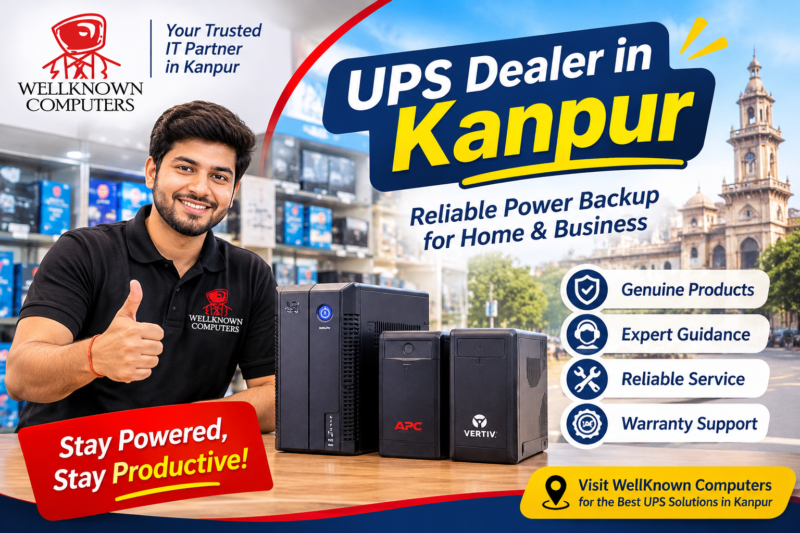
Since 2000, Well Known Computers has been helping homes, offices and institutions in Kanpur with computers and related equipment. When you ask us about a UPS, we begin with what you want to protect: how many devices, how much load, and how long you need backup. Then we explain the options in plain language, and we tell you honestly when a smaller or simpler unit is enough.
Visit us: 3rd Floor Somdutt Plaza, Kanpur, Uttar Pradesh 208001 Call / WhatsApp: +91 9305837025 Website: https://wellknowncomputers.com/
Products we offer
- UPS for home computers and desktops
- UPS for offices, shops and billing counters
- Online UPS for servers and network equipment
- UPS batteries and replacement
- Surge-protected power strips and other accessories
- Brands we deal in: I-ball, Microtek, Luminous, Zebronics
Who we serve: homes and students, small businesses and shops, offices and professionals, schools and coaching centres, clinics and laboratories.
We also supply computers, printers, webcams and accessories, so you can set up your whole workspace in one visit. [Add a link here: Laptop Accessories category page.]
Common Mistakes to Avoid
- Choosing by VA alone. Always check the watt rating.
- Buying too small a unit. An overloaded UPS shuts down when you need it most.
- Connecting heavy appliances, such as heaters or air conditioners.
- Putting a laser printer on a small UPS.
- Expecting hours of backup from a standard UPS.
- Ignoring the battery. It needs replacement every few years.
- Using extension chains on the output.
- Skipping the warranty and service check.
Quick Checklist Before You Buy a UPS
- List of devices to be connected, with their watts
- Total load plus 20 to 30 percent headroom
- Type chosen: line-interactive or online
- Pure sine wave if possible
- Backup time checked at your load
- Enough outlets, and surge-only outlets identified
- Battery warranty and replacement plan
- GST bill, warranty card and local service
Frequently Asked Questions
How do I choose a reliable UPS dealer in Kanpur?
Choose a reliable UPS dealer in Kanpur who offers genuine products, proper warranty and good after-sales support. WellKnown Computers provides best services support for UPS solutions, expert product guidance and reliable customer service to help you choose the right power backup for your home or business.
Which UPS is best for a home computer?
For most home desktops, a compact line-interactive UPS with pure sine wave output and enough watts for the computer, monitor and router works well. Calculate the load first, then choose a unit above that figure.
How do I choose a UPS?
List the devices you will connect, add up their watts, add 20 to 30 percent spare capacity, and choose a UPS with a higher watt rating. Then decide the type, such as line-interactive or online, and check the battery warranty and backup time.
What is the difference between UPS and inverter for a computer?
A UPS switches to battery almost instantly and is designed for computers. An inverter gives longer backup for lights and fans but may switch over slowly enough to restart a computer. A UPS is the safer choice for sensitive equipment.
How long will a UPS run my computer during a power cut?
A standard UPS usually gives minutes, not hours, enough to save your work and shut down. The exact time depends on the battery capacity, the load and the age of the battery. Ask your dealer for the backup time at your actual load.
What is the difference between online and offline UPS?
An offline UPS switches to battery when the power fails, with a tiny delay. A line-interactive UPS also corrects small voltage changes. An online UPS always runs your equipment from its inverter, so there is no switch-over, which makes it the best choice for servers and critical equipment.
Can I connect a printer to a UPS?
Inkjet and ink tank printers are usually fine if the UPS has enough capacity. Laser printers draw a large burst of power and can overload a small UPS, so use a surge-protected strip or a UPS rated for them, and ask your dealer.
How often should I replace a UPS battery?
Typical UPS batteries often last around three to five years, depending on heat, usage and the number of power cuts. Replace the battery when the backup time drops sharply or the unit shows a battery fault.
Do I need a UPS if I have a laptop?
A laptop has its own battery, so it keeps running during a power cut. A UPS or a surge protector still helps protect the charger and the laptop from voltage spikes, and it keeps your router and modem running.
Computer ke liye kaun sa UPS lena chahiye?
Pehle jo devices lagane hain unki watts jod lo, usme 20 se 30 percent extra jodo, aur utne watt se bada UPS lo. Home aur office ke liye line-interactive aur pure sine wave wala sahi rehta hai. Laser printer aur heater UPS par mat lagao. Store par aakar apna load bata do, hum sahi size bata denge.
Need Help Choosing a UPS? Talk to Our Team
Tell us what you want to protect and how long you need backup, and we will help you pick the right size and type. If you are still comparing options for a UPS dealer in Kanpur, visit Well Known Computers at 3rd Floor Somdutt Plaza, Kanpur, Uttar Pradesh 208001, call or WhatsApp us on +91 9305837025, or see our website at https://wellknowncomputers.com/.
Call Now:- +91 9305837025 or WhatsApp Us , Get Directions- https://share.google/C4NmxSMYMTTjz6A5t















































Recent Comments