Best Laptop Under ₹50,000 in Kanpur: Features, Specifications & Buying Guide

Every week, someone walks into our store and asks the same thing: “I have around ₹50,000. Which laptop should I buy?” If you are searching for the Best Laptop Under 50000 In Kanpur, this guide is for you. WellKnown Computers has been helping Kanpur buy laptops since 2000. We are official partners of Acer, HP, Lenovo, ASUS and Dell, and a trusted laptop shop in Kanpur. Below is what we have learned from helping thousands of customers choose well.
How to Choose best laptop under 50000 in Kanpur ?
Below ₹30,000, most buyers have to give up something: speed, screen quality or build. Around ₹50,000, you can usually get a recent processor, a fast SSD, a sharper display and a sturdier body, all in one laptop.
Choosing the best laptop under ₹50,000 in Kanpur can feel confusing, because there are so many brands, models and specifications to compare. The good news is that you do not need to be a tech expert to make the right choice.
Start by thinking about how you will use the laptop, whether for studies, office work, coding or light gaming. Then check the five basics: a recent Intel Core i5 or AMD Ryzen 5 processor, at least 8 GB RAM (16 GB is better), an SSD for fast performance, a Full HD display and a reliable warranty.
At WellKnown Computers, a trusted laptop shop in Kanpur since 2000, we help customers compare these points in simple language, so they pay only for what they actually need.
How to Pick the Best Laptop Under ₹50,000
Don’t start with a brand name. Start with what you will actually do on the laptop. These six things matter most:
- Processor: decides how fast everything feels
- RAM: decides how well it multitasks
- Storage: an SSD makes the laptop feel quick
- Display: you will look at it for hours
- Battery and weight: matters if you carry it daily
- Warranty and service: matters after the sale
Let’s go through each one.
Processor: The Brain of Your Laptop
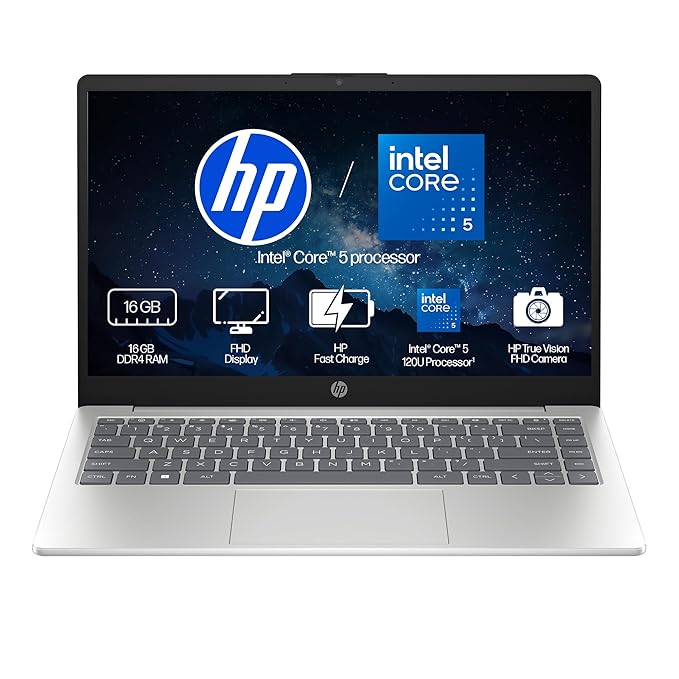
At this budget, look for a recent-generation Intel Core i5 or AMD Ryzen 5. Both handle browsing, video calls, Office work, online classes and light editing without trouble.
Avoid very old processors, even if they look cheap. A processor from several generations ago will feel slow within a year or two, and it won’t get the efficiency improvements of newer chips.
RAM and Storage: Where Most Buyers Go Wrong
RAM: 8 GB is the minimum. If you can stretch to 16 GB, do it. Modern browsers, Windows 11 and multiple apps use a lot of memory, and 16 GB keeps the laptop smooth for longer.
Storage: Choose an SSD (preferably 512 GB). A laptop with a hard disk only will feel slow no matter how good the processor is. If the laptop allows upgrading RAM or storage later, that is a big plus.
Display and Build Quality
You will spend more time looking at the screen than anything else on the laptop. Look for:
- Full HD (1920 x 1080) resolution
- IPS panel for better colours and viewing angles
- Anti-glare finish if you work in bright rooms
- A comfortable keyboard, which matters a lot if you type all day
Always check the keyboard and touchpad in person if you can. Specifications on paper don’t tell you how a laptop feels to use.
Battery Life, Ports and Portability
A laptop that dies in two hours is frustrating, especially for students and people who travel. Check the battery capacity and ask about real-world usage, not just the claim on the box.
Also look at the ports: USB-A, USB-C, HDMI and a headphone jack. The right ports save you from buying extra adapters.
Which Laptop Suits You? A Simple Guide by User Type
The best laptop under ₹50,000 for a student is not the same as for a gamer. Here is how we usually guide customers.
For Students
Choose something light, with good battery life and a Full HD screen. A Core i5 or Ryzen 5 with 8 to 16 GB RAM is enough for online classes, assignments and presentations.
For Office and Business Users
Focus on reliability, a good keyboard and strong after-sales support. Business-oriented laptops, such as Lenovo’s ThinkPad range, are popular here for their sturdy build.
For Coders and Designers
Go for 16 GB RAM and a fast SSD. Running code editors, browsers, emulators and design tools together needs more memory than basic tasks.
For Gamers
Entry-level gaming laptops with dedicated graphics may be available around this budget, depending on current pricing. They will run many popular games at moderate settings, but don’t expect high settings on the newest titles. Ask us to check what is in stock before you set your heart on a model.
Brands We Work With
As official partners of Acer, HP, Lenovo, ASUS and Dell, we can guide you across all the major brands without any bias toward one.
- Acer: often good value for money
- HP: known for design and everyday reliability
- Lenovo: strong keyboards and solid business models
- ASUS: good display and performance options
- Dell: trusted for build quality and support
Each of these brands has models that can qualify as a strong pick in this budget. The right one depends on your needs, not on the logo.
Common Mistakes to Avoid When You Buy a Laptop in Kanpur
When you buy a laptop in Kanpur, or anywhere, watch out for these:
- Choosing by brand alone, without comparing specifications
- Ignoring RAM and storage type, especially hard disk vs SSD
- Buying from an unknown seller with no clear warranty or bill
- Skipping the warranty details. Ask exactly what is covered and for how long
- Chasing the lowest price, and ending up with an old processor or a weak battery
Why Buy from Our Laptop Showroom in Kanpur
When you visit a laptop showroom in Kanpur, you want honest advice, not pressure. Here is what we offer:
- Experience since 2000, serving customers in Kanpur for over two decades
- Official partnerships with Acer, HP, Lenovo, ASUS and Dell
- Hands-on demo, so you can feel the keyboard and screen before buying
- Advice based on your needs, so you pay only for what you will use
- Local support, so help is nearby if you need it after the sale
Finding the best laptop under ₹50,000 for your needs is easier when someone explains the trade-offs in plain language. That is what we try to do every day.
Visit WellKnown Computers, Your Trusted Laptop Showroom in Kanpur
If you want to buy a laptop in Kanpur with honest advice and no pressure, visit Well Known Computers. We have been serving customers in Kanpur since 2000, and we are official partners of Acer, HP, Lenovo, ASUS and Dell. This means you can compare different brands under one roof and see the laptops in person before you decide. Our team will listen to your needs and budget, then suggest the right options in simple language. For the latest models, offers and pricing, call us on +91 9305837025 or visit https://share.google/dMM86Ex3ZDQsbxTYM. We will be happy to help you find the right laptop at the right price.
Frequently Asked Questions
1. Which is the best laptop under 50000?
There is no single best laptop for everyone. For most buyers, a recent Intel Core i5 or Ryzen 5 laptop with 16 GB RAM and a 512 GB SSD is a strong choice. Visit our store and we will suggest models based on how you plan to use it.
2. Is 16 GB RAM necessary in a laptop under 50000?
It is not compulsory, but it is recommended. 8 GB works for basic use, but 16 GB gives smoother multitasking and keeps the laptop useful for longer.
3. Can I play games on a laptop under 50000?
Yes, in many cases. Some laptops at this budget come with entry-level dedicated graphics that can run popular games at moderate settings. Availability changes, so check with us.
4. Which laptop is best for coding under 50000?
Look for a Core i5 or Ryzen 5 processor, 16 GB RAM and an SSD. A good keyboard and a clear Full HD screen also help during long coding sessions. Best laptop for coding & Programming
5. Is a refurbished laptop under 50000 worth it?
It can be, especially if you need higher specifications on a tight budget. The key is buying from a trusted seller who provides a clear warranty and checks the laptop properly. For many buyers looking for a budget laptop in Kanpur, a new laptop is the safer choice, but a well-tested refurbished one can offer good value.
6. Which brand is best for a laptop under 50000?
Acer, HP, Lenovo, ASUS and Dell all offer good options. The best brand is the one whose model fits your needs, so compare specifications, build and warranty rather than choosing by name.
7. How long will a laptop last if I spend 50000?
With normal use and basic care, a well-chosen laptop in this range can serve you for several years. Good RAM, an SSD and a decent battery make the biggest difference to how long it stays useful.
8. Where can I buy a good laptop in Kanpur?
You can visit WellKnown Computers, a trusted laptop shop in Kanpur with experience since 2000. You can see the laptops in person, compare brands and get honest guidance before you decide.
Conclusion
Choosing the Best Laptop Under ₹50,000 comes down to a few simple things: a recent processor, enough RAM, an SSD, a good display and a warranty you can trust. Match those to your own needs, and you will get a laptop that serves you well for years.
If you want help comparing options, visit our store or call us on +91 9305837025. You can also explore more at https://wellknowncomputers.com/. We would be happy to help you find the right laptop at the right price.

About wellknown computers
Well Known Computers team, serving Kanpur since 2000
View all posts by wellknown computers