



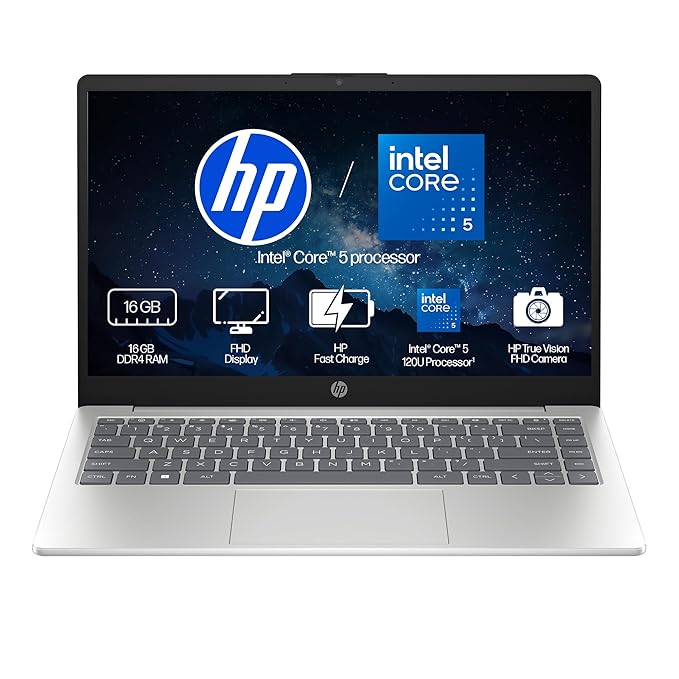
Biometric Attendance Machine in Kanpur: Types, Features and How to Choose

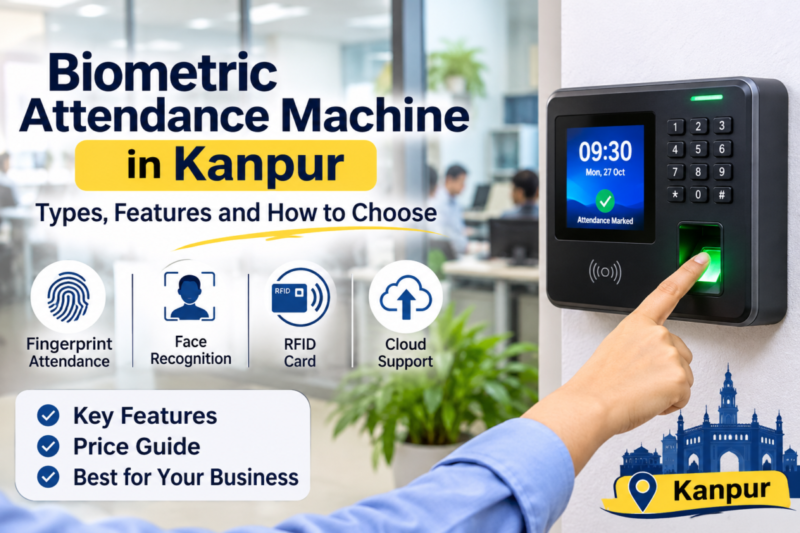
The right machine depends on who will use it and where. For a typical office with clean hands, a fingerprint attendance machine is a proven and affordable choice. For schools, factories and crowded entrances, a face recognition attendance machine is faster and touch-free. For several branches or remote monitoring, look at a smart attendance machine with cloud software. Whatever you pick, check the software, the installation support and the warranty before you check the price.
If your business still depends on a paper register or a sign-in sheet, you already know the problems. People mark attendance for absent friends, entries go missing, late arrivals turn into arguments, and someone spends days at the end of the month adding up hours before salaries can be processed. A biometric attendance machine fixes this by recording who actually arrived and exactly when, using something that cannot be borrowed, such as a fingerprint or a face.
This guide is written for business owners, school administrators, factory managers and office managers who want to buy sensibly. We cover the types of machines, the features that matter, what affects the biometric machine price in Kanpur, what installation involves, and how to choose a supplier you can rely on.
Well Known Computers has been serving customers in Kanpur since 2000. Our store is at Somdutt Plaza, Parade Kanpur, and you can reach us on +91 93358 37020.
What Is a Biometric Attendance Machine?
It is a device that identifies a person by a physical trait and records the time of their arrival or departure. The most common traits are the fingerprint and the face. The person is first “enrolled”, which means the machine stores a digital template of their trait. Every later visit is compared against that template, and a match creates a time-stamped attendance record.
Because the identity is tied to the person and not to a card or signature, it prevents proxy attendance, often called buddy punching. It also gives managers clean, reliable data for payroll, shifts and compliance. Most modern machines store thousands of records on the device and send them to a computer or the cloud for reports.
Types of Attendance Machines
Fingerprint Attendance Machine
A fingerprint attendance machine reads the ridge pattern of your finger through a small sensor. It is the most established type, familiar to most staff, and usually the more affordable option.
- Best for: offices, small businesses, shops and clinics where hands are generally clean and dry.
- Watch out for: dirty, oily, wet or worn fingers, which can cause failed reads. A shared sensor also needs regular cleaning.
Face Recognition Attendance Machine
A face recognition attendance machine uses a camera to capture and match facial features, with no touching involved. It is a good fit where hygiene, speed or hand condition matters.
- Best for: schools, factories, hospitals, busy entrances and workplaces where fingers are often dirty or worn.
- Watch out for: poor lighting, strong backlight, and the need for protection against photo or video tricks. Ask for a live demonstration. Face machines are often priced higher than basic fingerprint ones.
Card, PIN and Multi-Mode Machines
Some machines combine fingerprint, face, card and PIN in one unit. Multi-mode devices are useful when one method fails, for example when a worker’s fingers are damaged, or when you want visitors and contract staff to use a card. They give flexibility, though they cost more than single-mode devices.
Smart Attendance Machine (Cloud and App-Based)
A smart attendance machine connects to the internet and syncs records to cloud software, so managers can view attendance from a phone or computer, across several locations. Some also support mobile apps, automatic reports and notifications.
- Best for: businesses with several branches, field teams, or owners who want live visibility.
- Watch out for: dependence on internet, ongoing subscription charges, and data security. Make sure the machine keeps recording during an internet outage and syncs afterwards.
Other technologies such as palm or iris recognition also exist, but they are less common and generally cost more, so most businesses choose between the types above.
Quick Comparison
Type | Touch needed | Typical strength | Typical limit |
| Fingerprint | Yes | Proven and affordable | Struggles with dirty or worn fingers |
| Face recognition | No | Fast, hygienic, good for crowds | Needs good lighting, often costs more |
| Multi-mode | Depends | Flexible, backup options | Higher cost |
| Smart (cloud) | Depends | Remote access, multiple branches | Needs internet, may have subscription |
For a deeper side-by-side look at the two main technologies, read our guide on face recognition vs fingerprint attendance machine.
Features to Look for in a Biometric Attendance Machine
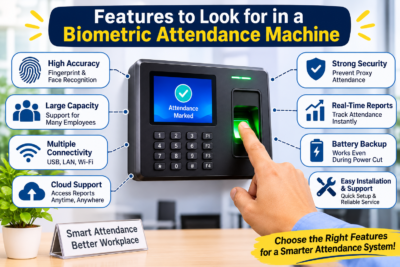
A brochure lists dozens of features. These are the ones that actually decide how well the machine serves you.
- User capacity. Check how many people it can store, and leave room for growth. A machine that fills up in a year is a poor buy.
- Log storage. This is how many attendance records it can hold when it is not connected.
- Speed of recognition. Ask how quickly it identifies a person in real conditions, not only under ideal lighting.
- Verification modes. Fingerprint, face, card, PIN, or a combination.
- Liveness protection on face machines, to resist photos and videos.
- Display and usability. A clear screen and simple prompts help staff who are not comfortable with technology.
- USB, LAN or wireless networking. Choose what suits your office setup.
- Shifts, late marks, overtime, leave, reports and payroll export are the features that save the most time.
- Power backup. A built-in battery or UPS keeps attendance running during a power cut.
- Door-lock and access control support, if you want the same device to control entry.
- Build quality and dust protection, especially for factories and workshops.
- Warranty and local support. The best machine is of little use if nobody can fix it.
Attendance Software and Payroll
The machine collects data. The software turns it into something useful. Good software lets you define shifts and grace periods, track overtime, handle leave and holidays, create daily and monthly reports, and export a file your accountant can use for salary processing. Before buying, ask to see the software running and check that reports can be printed or exported in the format you need.
Office Attendance Machine: What Works Best
For an office attendance machine, simplicity matters more than extra features. Most offices have clean-handed staff who arrive over a stretch of time, so a reliable fingerprint machine with good software is often enough. If many employees arrive together at a fixed time, or if you prefer a touch-free system, a face recognition model is more comfortable. Look for easy report exports, support for flexible timings and work-from-home or field staff, and a simple way to add or remove employees. If you use a computer at the reception to run the software, a stable desktop or all-in-one with a UPS keeps the whole system dependable.
Biometric Machine for School
Choosing a biometric machine for school means thinking about two groups: staff and students. Schools usually start with teachers and staff, and some extend the system to students.
- Speed at the gate. Mornings are busy, so fast recognition matters. Face recognition suits crowds and avoids the hygiene concern of many hands touching one sensor.
- Simple reports. Class-wise and department-wise reports save the administration office hours of work.
- Parent communication. Some systems can send attendance alerts. Check what the software supports instead of assuming.
- Child data safety. Student biometric data is especially sensitive. Be clear about what is collected, how it is stored, and who can see it. Follow the school’s policy and any applicable rules.
- A sturdy body that tolerates a busy entrance.
Factories, Clinics, Shops and Coaching Centres
Factories and workshops: workers handle oil, dust, water and heavy materials, which can wear down or cover fingerprints. A face recognition or multi-mode machine is often a better fit. Look for a rugged body, dust protection, shift and overtime handling, and the ability to manage many workers arriving together.
Clinics and hospitals: hygiene matters, so a contactless machine is a good fit. Staff work in shifts, so shift and overtime features are important.
Shops and showrooms: a small fingerprint machine with simple software is usually enough for a few employees.
Coaching centres and institutes: teachers and staff can be tracked easily. Choose the machine and software based on how many people you have and how many branches you run.
Biometric Machine Price in Kanpur: What Affects the Cost?
Everyone asks about the biometric machine price in Kanpur, but the honest answer is that it depends on several factors, so a single number can mislead. Prices also change over time, so ask for a current quotation for your exact requirement. The cost of a biometric attendance machine is usually shaped by:
- Fingerprint models are often cheaper than face recognition or multi-mode devices.
- User and log capacity. Higher capacity usually costs more.
- Cloud connectivity, battery backup, access control and mobile apps add to the price.
- Some software is included, while some charges a licence or monthly subscription.
- Build and quality. A sturdy, dust-resistant device costs more than a basic one.
- Mounting, wiring, network setup and enrolment may be charged separately.
- Warranty and support. A longer warranty and reliable service are worth paying for.
Tips to compare quotes fairly:
- Ask for an itemized quote that shows the machine, software, installation and warranty separately.
- Check whether software has a licence or subscription fee, and for how long.
- Do not choose only on the lowest price. A cheap machine with no support often costs more in the end.
- Ask about the cost of adding more users or branches later.
- Always ask for a proper GST bill and warranty card.
Biometric Installation in Kanpur: What Is Involved?
A good machine can still disappoint if it is installed carelessly. Professional biometric installation in Kanpur usually covers these steps.
- Site check. Choosing the best location, usually near the entrance, at a comfortable height, and away from direct sunlight, which can confuse face recognition.
- Mounting and power. Fixing the device securely, providing a reliable power supply and, if possible, a UPS.
- Network setup. Connecting the machine by cable or wireless to your computer or the cloud.
- Software setup. Installing the software, creating shifts, departments and rules.
- Registering each person carefully, with more than one finger where possible, or a clear face capture.
- Door lock wiring, if you also want access control.
- Trying the machine with different staff, including those with the most challenging conditions.
- Showing the manager how to add employees, correct entries and generate reports.
- Support plan. Knowing who to call and what is covered.
Careful enrolment and a sensible location solve most of the daily problems people blame on the machine.
How to Choose the Right Supplier in Kanpur
If you are comparing a biometric attendance machine in Kanpur, the supplier matters as much as the device. Ask these questions:
- Can I test the machine with my own staff before buying?
- Is the software included, and will someone set it up for me?
- Who handles installation, enrolment and staff training?
- What warranty is provided, and who repairs the machine?
- Will I receive a proper GST bill and warranty card?
- How quickly can I get help if something stops working?
- Is there a local store I can visit?
A supplier who asks about your staff, entrance, working conditions and reporting needs before recommending a model is usually one you can trust.
Privacy and Data Safety
Biometric data is sensitive, so treat it carefully.
- Tell employees what you collect, why, and for how long.
- Limit who can see attendance reports and settings.
- Prefer systems that store biometric data securely and let you delete a person’s data when they leave.
- Protect the computer or cloud account with strong passwords and keep your network safe. Our guide on what a UTM firewall is explains how to protect your office network.
- Back up attendance records regularly.
- Data protection rules may apply to your business, so check the current requirements or ask a professional.
Common Mistakes to Avoid
- Choosing only by price. Poor software and no support cost more in the long run.
- Ignoring working conditions. Oily or dusty hands do not suit every fingerprint sensor.
- Not testing first. Try the machine with your own staff.
- Poor placement. Direct sunlight or an awkward height causes daily errors.
- Careless enrolment. A rushed first scan leads to constant failures.
- Skipping power backup. A power cut should not stop attendance.
- Forgetting the software. Reports and payroll export matter as much as the device.
- Not informing employees. Explain the purpose and privacy measures to avoid worry.
Why Choose Well Known Computers
Since 2000, Well Known Computers has helped businesses and institutions in Kanpur choose technology that suits the way they work. When you come to us for an attendance system, you get:
- Honest advice based on your staff, your entrance and your budget, not on what is easiest to sell.
- A chance to compare fingerprint, face recognition, multi-mode and smart options.
- Help with software, setup and staff enrolment.
- Computers, UPS and accessories from several trusted brands to run your attendance system reliably.
- A local team in Kanpur you can reach after the purchase.
Frequently Asked Questions
How does a biometric attendance machine work?
The machine first stores a digital template of each person’s fingerprint or face. When they arrive, it scans them again, compares the scan with the stored template, and records the time if it matches. The data is stored on the device and sent to software for reports.
What is the biometric machine price in Kanpur?
The price depends on the type, capacity, features, software and installation, so it varies widely. Ask for an itemised, current quotation that shows the machine, software, installation and warranty separately.
Which is better, a fingerprint or a face recognition machine?
Neither is better everywhere. Fingerprint machines are proven and often more affordable, which suits many offices. Face recognition is touch-free and handles busy entrances and dirty or worn fingers better, which suits schools and factories.
Which is the best office attendance machine?
For most offices, a reliable fingerprint or multi-mode machine with easy software and local support is enough. Choose based on your staff, entrance and reporting needs instead of extra features you will not use.
Can a biometric machine for school record both staff and students?
Yes, many systems can, but check user capacity, class-wise reports and what alerts the software supports. Be especially careful with student data and follow your school’s policy.
What does biometric installation in Kanpur include?
Typically a site check, mounting, power and network setup, software configuration, staff enrolment, testing and training. Confirm what your supplier includes and what is charged separately.
Do I need software with the machine?
A machine can store logs by itself, but software turns them into shift reports, late marks, overtime and payroll-ready data. For any real business use, good software is strongly recommended.
What is a smart attendance machine?
It is an attendance machine that connects to the internet and syncs data to cloud software, so you can view attendance from anywhere and manage several branches. Check that it keeps recording during an internet outage.
Kanpur mein biometric machine kahan se kharide?
Aisi dukaan se lo jo aapke staff aur budget ke hisaab se salah de, demo dikhaye, GST bill aur warranty de, aur installation aur support bhi kare. Store par jaake machine apne staff par test karna sabse achha hai.
Need Help Choosing? Talk to Our Team
Tell us how many people you have, where the machine will be installed and what reports you need, and we will help you choose the right biometric attendance machine for your office, school or factory. Visit Well Known Computers in Kanpur, call us on +91 93358 37020 or see our website at https://wellknowncomputers.com/. Visit our store: https://share.google/JPVSkvpapGUF49a7r .













































Recent Comments