
All-in-One PC vs Laptop vs Desktop: Which One Should You Buy?

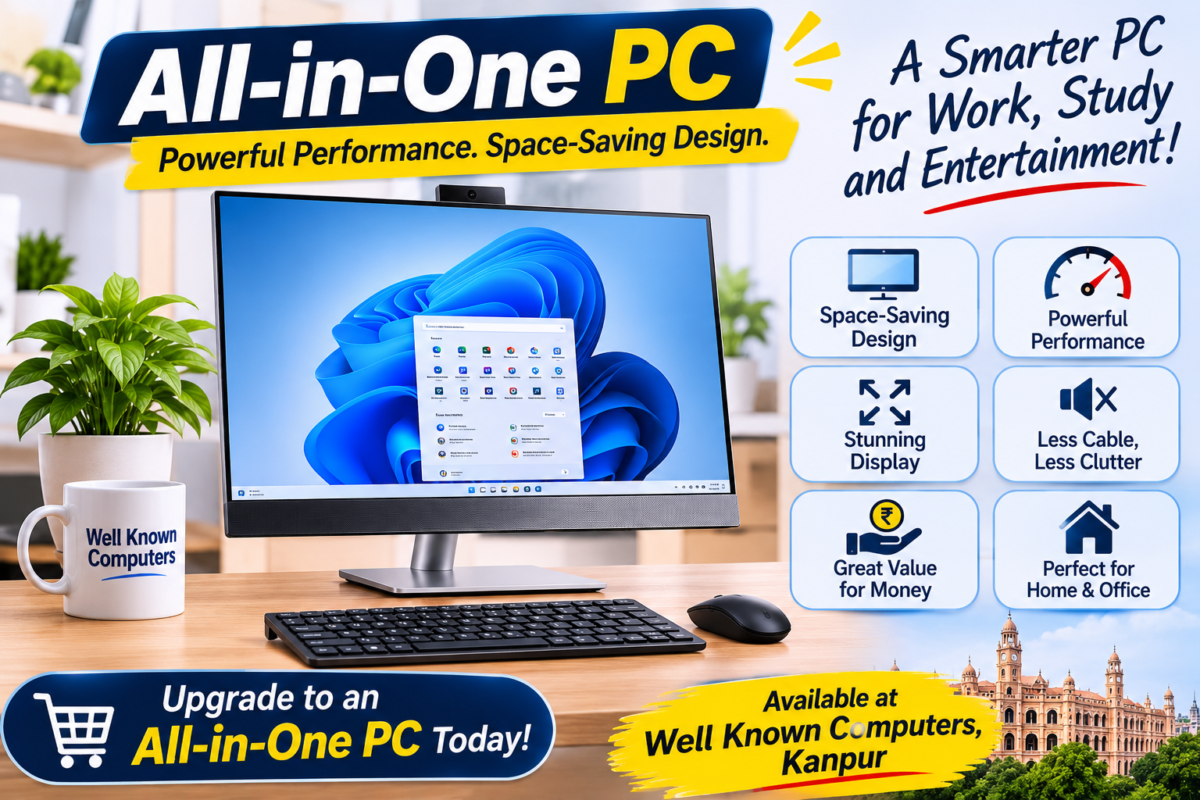
There is no single winner, but this is the short version we give customers at our Kanpur store. Buy a laptop if you need to carry your work with you. Buy a desktop if you want the most performance for your money and easy upgrades later. Buy an all-in-one PC if you want a neat, one-piece computer for a fixed spot, such as a home study corner, a reception desk or a billing counter.
What we usually recommend, by situation:
- Students and professionals who travel: a laptop.
- Homes, reception desks, shops and clinics: an all-in-one PC.
- Offices with many users, labs, gaming and video editing: a desktop.
- A mix of needs: desktops or all-in-ones at fixed desks, plus a few laptops for people on the move.
Not sure which one fits you? Tell us where you will use the computer and what your budget is, and we will suggest the right option from Dell, HP, Lenovo, Acer or ASUS. The rest of this guide explains why, so you can decide with confidence.
Sooner or later, almost everyone who needs a new computer reaches the same fork in the road. A laptop goes wherever you go. A desktop has the reputation for raw power. And then there is the all-in-one, the tidy machine with the computer hidden behind the screen. If you have been searching for an all in one pc in Kanpur and wondering whether it beats the other two, you are asking exactly the right question before spending your money.
This guide compares all three in plain language: what each one does well, where each one falls short, and who should buy which. We also explain what to look for in an all-in-one, how the major brands fit in, and how to choose a good shop so that your purchase comes with support.
Well Known Computers has been serving customers in Kanpur since 2000, and we work in partnership with Dell, HP, Lenovo, Acer and ASUS. We have written this the way we would explain it to a customer standing at the counter.
What Is an All-in-One PC?
An all-in-one PC, often called an AIO, puts the computer and the screen into a single unit. The processor, memory, storage, speakers and usually a webcam and microphone sit behind or beneath the display. You add a keyboard and a mouse, plug in one power cable, and you are ready to work.
It looks tidy because there is no separate tower and fewer cables. That makes it popular in places where appearance and space matter, such as reception desks, clinics, shops, classrooms and home study rooms. Some models offer touchscreens, and many have a stand that tilts or adjusts.
The trade-off is flexibility. Because the parts are packed into a slim body, there is less room for upgrades and the cooling is more limited than in a full-size desktop.
All-in-One PC vs Laptop vs Desktop: Quick Comparison
| Point | All-in-One PC | Laptop | Desktop |
|---|---|---|---|
| Portability | Stays in one place | Easy to carry | Stays in one place |
| Space and cables | Very tidy, one cable | Minimal | Needs tower, monitor and more cables |
| Performance for the money | Good, but you pay for the neat design | Generally the highest cost for the same power | Generally the best value |
| Upgrade options | Limited, often RAM and storage only | Limited | Excellent, most parts can be changed |
| Screen | Large, built in | Small to medium | Your choice of any monitor |
| Battery | Usually none | Built in | None, use a UPS for backup |
| Repairs | Whole unit may be affected | Often needs a technician | Parts can be replaced one by one |
| Best for | Reception, home, office, light work | Students, travellers, mobile work | Heavy work, gaming, offices, labs |
A general note on pricing: laptops and all-in-ones carry extra cost for compact design and built-in parts, while a desktop usually gives more processing power per rupee. Prices move often, so ask us for the current price of any model.
All-in-One PC: Pros and Cons
What we like:
- Neat and tidy. One unit, one power cable, no tower under the desk.
- Large screen. Many models have a bigger display than a typical laptop, which is comfortable for long hours.
- Everything included. Speakers, webcam and microphone are usually built in, which suits online classes and video calls.
- Looks good in public spaces. A clean setup helps in a shop, clinic or reception.
- Easy to set up. There is little to connect, which helps non-technical users.
What to keep in mind:
- Limited upgrades. You can often increase RAM or storage, but the processor and graphics usually cannot be changed.
- Repairs can be less flexible. If the screen or main board fails, the entire unit is affected.
- Not portable. It stays where you put it.
- Heat. Slim bodies have less room for cooling, so very heavy work is better suited to a desktop.
- Higher price for the performance. Part of what you pay for is the compact design.
Laptop: Pros and Cons
What we like:
- Portable. Carry it to college, a client meeting or another room.
- Built-in battery. It keeps working through short power cuts.
- Complete. Screen, keyboard, touchpad, camera and speakers are all included.
- Flexible. Study at home, work from a cafe or take it on a trip.
What to keep in mind:
- Smaller screen and cramped keyboard. Long hours can strain your neck and wrists unless you add a stand and separate keyboard.
- Limited upgrades and tougher repairs. Parts are packed tightly.
- More cost for the same power. You pay extra for portability.
- Easier to lose or damage. It travels, so it faces more risk.
If you are leaning towards a laptop, read our guide on how to choose a laptop first.
Desktop: Pros and Cons
What we like:
- Best performance for the money. More power for the same budget.
- Easy upgrades. You can add RAM, swap storage, change the graphics card or replace the power supply later.
- Choice of monitor. Pick the size and quality you want.
- Better cooling. More space means steadier performance in long, heavy tasks.
- Easy to repair. A faulty part can be replaced without scrapping the whole machine.
What to keep in mind:
- Takes space. You need room for a tower, monitor, keyboard and cables.
- Not portable. It stays at your desk.
- Needs a backup for power cuts. A UPS is a sensible addition.
- More parts to buy. You may need to buy the monitor, keyboard and mouse separately.
Which One Should You Buy? By Use
Students at home: a desktop or an all-in-one is comfortable for online classes and homework. If the student also needs to carry the machine to college or coaching, a laptop is the better choice.
College and coaching students who travel: a laptop. Portability matters more than anything else.
Home and family use: an all-in-one is a good fit for a shared family computer, because it saves space and looks neat in a living area or study corner.
Office and reception work: both an all-in-one and a desktop work well. An all-in-one looks neater at a front desk, while a desktop is the more economical choice for a large team.
Shops, billing and clinics: an all-in-one saves counter space and looks tidy in front of customers. Check that it can run your billing or clinic software smoothly.
Schools, coaching centres and labs: desktops give the best value when you need many machines, and they are easy to repair and upgrade.
Gamers, video editors and designers: a desktop gives the best performance and cooling for the price. A powerful laptop is an alternative if you need portability.
Work from home: choose by routine. If you work in one place every day, an all-in-one or desktop is more comfortable. If you move around, a laptop works better.
Small businesses: a mix is often best, such as desktops or all-in-ones at fixed desks and a few laptops for people who travel.
All in One PC in Kanpur: Is It Right for You?
Before you buy an all in one pc in Kanpur, think about a few local, everyday factors.
- Space. An all-in-one suits small offices, shops and apartments where a tower and a separate monitor would crowd the desk.
- Power cuts and voltage changes. These are common in many Indian cities. Whichever computer you choose, use a UPS or at least a surge-protected power strip to protect it.
- Heat and dust. Summers can be hot and the air can be dusty. Keep the vents clear, place the computer where air can move around it, and clean the dust from time to time.
- Service access. A slim all-in-one is harder to repair than a desktop. Buy from a shop that can handle after-sales support locally.
- Your software. Make sure the processor and memory can handle the programs you use every day, such as accounting or design software.
If these points match your situation, an all-in-one is a strong option. If they do not, a desktop or laptop may suit you better.
How to Choose an All-in-One PC: What to Check

If you decide on an all-in-one, these are the specifications worth checking.
- Processor. A mid-range processor suits most home and office work. Choose a stronger one for design, editing or heavy multitasking.
- RAM. 8 GB is the minimum for comfortable use. 16 GB is better if you multitask or use heavier software.
- Storage. Choose an SSD, ideally 512 GB. It makes the machine start and open files much faster than an old hard disk.
- Screen size and resolution. 21 to 24 inches is common. Look for at least Full HD, and compare brightness and viewing angles in person.
- Stand. A stand that tilts, or adjusts in height, is easier on your neck.
- Webcam, speakers and microphone. These are built in, so check the quality, especially for online classes and video calls.
- Ports. Look for enough USB ports, HDMI and a headphone jack, plus wireless networking.
- Touchscreen. Useful in some settings, but not essential for everyone.
- Upgrade options. Ask whether the RAM and storage can be upgraded later.
- Warranty and support. Confirm what is covered and where service is handled.
Brands: Dell, HP, Lenovo, Acer and ASUS
All five brands make computers, but model lines and availability change from year to year, so ask us what is currently available. The notes below describe general tendencies.
Dell all in one PC Kanpur
Dell offers all-in-one computers for home and business use, with options aimed at everyday users and others designed for offices. If you want a tidy, work-oriented machine, they are worth comparing.
HP all in one PC Kanpur
HP has a wide range of all-in-one models, from everyday home computers to larger-screen and business versions. The variety makes it easy to find something that fits your budget and screen-size preference.
Lenovo all in one PC Kanpur
Lenovo makes all-in-one computers for home users and for offices, with designs that range from simple everyday models to business-focused ones. Compare the screen, stand and ports to see which suits your desk.
Acer / ASUS desktop Kanpur
Acer and ASUS are well known for desktops and all-in-one models, often with a focus on value and, in ASUS’s case, performance. If you are looking at Acer or ASUS desktops in Kanpur, compare the specifications and warranty alongside the other brands.
For a wider look at how these brands compare, read our Best Laptop Brand in India guide.
Accessories That Complete Your Setup
A computer works best with the right extras.
- UPS or surge-protected power strip to protect against power cuts and voltage changes.
- Keyboard and mouse. Many all-in-ones include a basic pair, but a comfortable set is worth the upgrade.
- Headset with a microphone for clear online classes and calls.
- External webcam if the built-in camera is not good enough. See our guide on the webcam for online classes.
- Wall mount or monitor arm if you want to save desk space.
- Laptop stand, bag and cooling pad if you choose a laptop.
We stock webcams and accessories from several trusted brands, so you can pick them up along with your computer.
How to Choose the Best Computer Shop in Kanpur
The shop you buy from matters almost as much as the machine. When you are looking for the best computer shop in Kanpur, use this checklist.
- Brand choice. A shop that offers several brands lets you compare fairly.
- Honest advice. A good salesperson asks what you will use it for before recommending a model.
- A proper GST bill and warranty card. Always ask for both.
- A demo. You should be able to see the machine running before you buy.
- After-sales support. Find out who helps you if something goes wrong.
- Clear pricing and offers. Be careful with offers that seem too good to be true.
- A fixed, visible store. A shop you can walk back into is easier to trust than an anonymous seller.
A visit to a well-established computer showroom in Kanpur also lets you compare screens and keyboards side by side, which online listings cannot show.
Where to Buy: All-in-One, Desktop and Laptop in One Place
If you want to see all three kinds of computer together, look for an all in one pc shop in Kanpur that also sells desktops and laptops. A good desktop computer shop in Kanpur will help you with parts, upgrades and bulk purchases for offices, while a laptop and desktop shop in Kanpur lets you compare portable and fixed options in a single visit. When you want to touch the screen and compare keyboards, a visit to a computer showroom in Kanpur gives you far more confidence than reading specifications alone.
Common Mistakes to Avoid
- Choosing by looks alone. A beautiful all-in-one with weak specifications will frustrate you in months.
- Ignoring upgrade options. Check whether RAM and storage can be upgraded.
- Buying a laptop when you never move it. You may pay extra for portability you do not use.
- Skipping the SSD. A hard disk makes any computer feel slow.
- Forgetting a UPS. Power cuts can damage components and lose unsaved work.
- Buying too little RAM. 4 GB is not enough for modern use.
- Overlooking warranty and service. Ask where repairs are done and how long they take.
- Paying for features you will not use, such as a touchscreen or top-end graphics.
Quick Checklist Before You Buy an All in One PC in Kanpur
- Use, place and budget decided
- Compared an all-in-one, a desktop and a laptop for your needs
- Processor, RAM and SSD checked
- Screen size and quality seen in person
- Stand, ports, webcam and speakers checked
- Upgrade options confirmed
- UPS or surge protection planned
- GST bill, warranty and service support confirmed
- Keyboard, mouse and other accessories planned
Why Buy from Well Known Computers
Since 2000, Well Known Computers has been helping people in Kanpur choose computers that suit their work. Here is what you get when you visit us:
- Laptops, desktops and all-in-one options from Dell, HP, Lenovo, Acer and ASUS in one place, so you can compare them side by side.
- Honest advice based on your use, your space and your budget, not on what is easiest to sell.
- Webcams, UPS and accessories from several trusted brands, so your whole setup can be arranged in one visit.
- A local team you can reach after the purchase, if you need help.
- Guidance for homes, offices, shops, clinics and schools, whether you are buying one computer or several.
If you are looking for an all in one pc in Kanpur, or still unsure whether a laptop or desktop suits you better, visit our store and see the options in person.
Frequently Asked Questions
Which is better: all-in-one PC, laptop or desktop?
None is better for everyone. A laptop is best for portability, a desktop gives the best performance and upgrades for the money, and an all-in-one is best when you want a tidy, one-piece computer for a fixed spot.
Where can I buy an all in one pc in Kanpur?
You can visit Well Known Computers in Kanpur to see all-in-one PCs, desktops and laptops from Dell, HP, Lenovo, Acer and ASUS in one place, and get advice on which one suits your use and budget.
Is an all-in-one PC good for office use?
Yes, for general office work such as documents, spreadsheets, email and billing software. For many machines in one office, desktops can be more economical.
Can I upgrade an all-in-one PC?
Often you can upgrade the RAM and storage, but the processor and graphics usually cannot be changed. Ask about upgrade options before you buy.
Is an all-in-one PC better than a desktop?
It depends on what you value. An all-in-one is neater and saves space, while a desktop offers more performance for the money and is easier to upgrade and repair.
How do I find the best computer shop in Kanpur?
Look for a shop that offers several brands, gives honest advice, provides a GST bill and warranty card, lets you see the machine before you buy, and offers support after the sale.
Do all-in-one PCs have a built-in webcam?
Most do, along with speakers and a microphone, which makes them convenient for online classes and meetings. If the built-in camera is not good enough, you can add an external webcam.
Kanpur mein laptop, desktop ya all-in-one: kaun sa lena chahiye?
Agar aapko ghoomna-phirna hai to laptop lo. Ek hi jagah par kaam hai aur jagah kam hai to all-in-one achha hai. Zyada performance aur upgrade chahiye to desktop lo. Store par aakar teeno dekh lo to faisla aasaan ho jaata hai.
Need Help Choosing? Talk to Our Team
Tell us where you will use the computer, what you will use it for and what your budget is, and we will suggest the best option from Dell, HP, Lenovo, Acer and ASUS. If you are planning to buy an all in one pc in Kanpur, or want to compare it with a laptop or desktop, visit our store or call us at +91 93358 37020 or visit our stores at Somdutt Plaza, Parade , Govind Nagar, & Kakadeo. https://share.google/VcQ6NCe1pmwIS3spt