

The best printer dealers in Kanpur is the one that fits what you print and how much you print. For occasional home and student use, a compact inkjet or all-in-one printer is enough. For plenty of colour printing at a low running cost, an ink tank printer suits homes and small offices. For fast, sharp black-and-white documents in an office, a laser printer is usually the better choice. For shop billing and labels, a thermal or label printer does the job. Whatever you choose, compare the running cost, not only the price, and buy from a dealer who gives a demo, a GST bill, a warranty and local support.
Buying a printer looks simple until you stand in front of a shelf full of them. One is cheap but its ink costs a fortune. Another is expensive but prints for years without fuss. A third looks perfect on paper but is too slow for your office. And then, three months later, the ink dries up, the paper jams and nobody picks up the phone.
That last part is why the dealer matters as much as the printer. If you are comparing printer dealers in Kanpur, this guide will help you choose both the right machine and the right place to buy it. We explain the types of printers, which one suits whom, how to understand printing costs, what to ask before you pay, and how to keep your printer running well. We have written it the way we would explain it across the counter.
Well Known Computers has been serving customers in Kanpur since 2000. Our store is at Somadutt Plaza, Navin Market Ln, Downtown, Kanpur, Uttar Pradesh 208001, and you can reach us on +91 9305837025 or at https://wellknowncomputers.com/.
Types of Printers: A Simple Guide
| Type | How it works | Strengths | Limits | Best for |
|---|---|---|---|---|
Inkjet (cartridge) | Sprays liquid ink | Low purchase price, good colour and photos | Costlier ink per page, ink can dry if unused | Occasional home and student use |
Ink tank (refillable) | Inkjet fed from large refillable tanks | Low cost per page, good for high volume colour | Higher purchase price than basic inkjets | Homes, schools, small offices |
Mono laser | Toner and heat | Fast, sharp text, toner lasts long | Black and white only, costlier up front | Offices, CA and legal work, bulk text |
Colour laser | Colour toner and heat | Fast, clean colour documents | Higher price, costlier supplies | Offices with regular colour output |
All-in-one | Prints, scans and copies (some also fax) | Several machines in one | Larger, more parts | Homes and small offices |
Thermal receipt | Heat on special paper | Fast, no ink, ideal for bills | Not for regular documents | Shops, restaurants, billing counters |
Label and barcode | Thermal labels | Price tags, barcodes, shipping labels | Specialised use | Retail, warehouses, courier work |
| Dot matrix | Pins strike a ribbon | Multi-copy carbon forms, low running cost | Slow and noisy | Invoices and forms that need carbon copies |
Inkjet vs laser vs ink tank printer: which is better?
This is the question people ask most, and the honest answer depends on how much you print.
- If you print only now and then, a basic inkjet or all-in-one is fine. Just remember that unused ink can dry and clog the nozzles, so print something once in a while.
- If you print regularly in colour, an ink tank printer usually costs less per page over time, even though it costs more to buy.
- If you print many black-and-white pages, a mono laser printer is fast, sharp and economical.
- If you need colour documents in an office, compare colour laser and ink tank models for speed, quality and supplies cost.
Which Printer Is Best for You? By User
Best printer for home use: a compact all-in-one inkjet or an ink tank printer handles homework, school projects, documents and the occasional photo. Choose wireless if several people print from phones and laptops.
Printers for students: assignments, notes and project reports are mostly text with some colour. A low-running-cost ink tank or a simple inkjet all-in-one is practical. If you only print a few pages a month, a cheaper inkjet is enough.
Best printer for small business: the best printer for small business depends on volume. A shop printing a few invoices a day needs something simple and dependable. An office printing hundreds of pages a week should look at laser or high-volume ink tank models, with duplex (two-sided) printing and a network connection.
Laser printer for office use: teams that print contracts, reports and forms all day benefit from the speed and low text cost of a laser printer, plus a document feeder if they scan or copy often.
Schools and coaching centres: worksheets, notices and test papers in large quantities favour high-volume ink tank or laser models that are easy to maintain.
Clinics and labs: prescriptions, reports and bills need reliability and quick printing. A laser all-in-one or a thermal printer for receipts usually fits.
CA, legal and consulting offices: lots of black-and-white pages, scans and copies. A laser all-in-one with an automatic document feeder saves time.
Shops and billing counters: a thermal printer for billing prints receipts quickly, with no ink to refill. Add a label or barcode printer if you tag products.
Photographers and designers: colour accuracy and paper handling matter. Look at dedicated photo-capable models and ask to see sample prints.
Features That Matter When Choosing a Printer
- Print speed (pages per minute). Useful for offices, less important at home.
- Print quality (resolution). Higher is better for photos and fine text.
- Duplex printing. Automatic two-sided printing saves paper.
- Wireless printer options. Wireless networking and mobile printing are convenient when many people share one printer.
- Scan and copy. An all-in-one printer is more useful than it first appears, especially with an automatic document feeder.
- Paper tray capacity and paper sizes. Check whether you need A3 or only A4.
- Monthly duty cycle. This tells you how many pages a month the printer is designed to handle. Do not buy a home model for office volumes.
- Connectivity. USB for one computer, wired network or wireless for sharing.
- Size and noise. Check your desk space and the noise level in a quiet room.
- Availability of ink or toner. If you cannot get supplies easily, the printer becomes useless.
Printing Cost: Look Beyond the Price Tag
The cheapest printer to buy is often the most expensive to run. The number that matters is cost per page.
How to estimate it: divide the price of a cartridge, ink bottle or toner by the number of pages it is rated to print. Manufacturers publish yields tested under standard conditions, so real pages can be fewer, especially with heavy color. Use the figure to compare printers, not as a promise.
- Cartridge inkjets are cheap to buy but usually cost more per page.
- Ink tank printers cost more to buy, but a bottle of ink lasts for many pages.
- Laser printers have a higher starting price, and one toner usually lasts long for text.
- Add up the other costs: paper, replacement parts, service and the cost of a failed print.
Two more points: if a printer uses chips to track ink or toner, using non-recommended supplies can cause error messages or affect warranty, so follow the manufacturer’s guidance. And a printer that is left unused for months may clog, so print a test page regularly.
Printer Price in Kanpur: What Affects the Cost
Everyone asks about the printer price in Kanpur, but a single number can mislead. Prices change over time and differ between models and between printer dealers in Kanpur, so ask for a current, written quotation. The main factors are:
- Type: a basic inkjet costs less than an ink tank, and a laser or colour laser costs more.
- Features: wireless, duplex, a document feeder and a bigger paper tray add to the price.
- Speed and duty cycle: office-grade machines cost more than home models.
- Supplies included: some printers ship with full ink bottles, others with starter cartridges.
- Warranty: a longer warranty or on-site service may be worth paying for.
- GST: make sure the quote shows whether GST is included.
Compare quotes fairly: ask for the model number, what is in the box, the warranty, and the price of the next set of ink or toner. A low price with expensive supplies is not a bargain.
How to Choose Among Printer Dealers in Kanpur
The dealer decides how smooth your experience will be, so choose with care. Here are the questions worth asking before you pay.
- Can I see a demo? A good dealer will print a test page and show the scan and copy functions.
- Do you ask about my needs first? Honest advice starts with how much and what you print.
- Will I get a proper GST bill and warranty card? Always ask for both.
- What does the warranty cover? Find out whether it includes parts, labour and on-site visits.
- Are ink and toner easily available? Ask about the next refill, not just this one.
- Who will help me with setup? Wireless setup and driver installation trip up many users.
- Who handles repairs and how quickly? Ask where service happens and how long it takes.
- Can I reach you after the sale? A local shop you can walk into is worth more than a stranger online.
- Do you offer a maintenance plan for offices? Yes We offers
Red flags to watch for
Be careful with printer dealers in Kanpur who refuse to show a demo, avoid giving a written quote, push the most expensive model without asking about your use, cannot explain the cost of supplies, or offer no bill or warranty. Prices that look too good to be true often are, and the cost shows up later in ink, repairs or a printer that stops working.
One of the Printer Dealers in Kanpur You Can Walk Up To
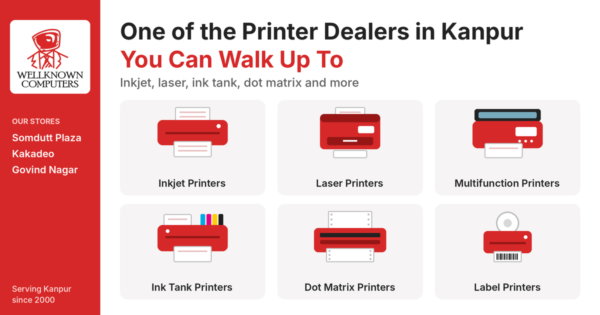
Well Known Computers has been helping homes, offices and institutions in Kanpur with computers and related equipment since 2000. When you ask us about a printer, we start with your use: what you print, how many pages, in colour or black and white, and whether anyone else shares the machine. Then we explain the options in plain language, including the running cost, before you decide. We will also tell you honestly when a cheaper or simpler printer is enough.
Visit Our Head Brach: Somadutt Plaza, Navin Market Ln, Downtown, Kanpur, Uttar Pradesh 208001 or other Branch at Govind Nagar, & Kakadeo or Call / WhatsApp: +91 9305837025 Website: https://wellknowncomputers.com/
Printers we offer
- Inkjet and ink tank printers for home and office
- Laser printers, mono and colour
- All-in-one printers with print, scan and copy
- Thermal receipt, label and barcode printers for billing
- Dot matrix printers for multi-copy invoices
- Ink, toner and other supplies
- Brands we deal in: Canon, HP, Epson
Who we serve
- Homes and students: simple, low-cost printing for assignments and projects
- Small businesses and shops: invoices, billing and labels
- Offices and professionals: CA, legal, consulting and corporate teams
- Schools and coaching centres: worksheets, notices and test papers
- Clinics and laboratories: prescriptions, reports and bills
- Bulk and institutional buyers: multiple printers with GST invoices
We also supply computers, laptops, webcams and accessories, so you can set up your whole workspace in one visit. Laptop Accessories
Printer Setup, Care and Quick Fixes
A little care keeps a printer running for years.
- Print regularly. A test page every week or two keeps inkjet nozzles from clogging.
- Use the right paper. Damp or poor paper causes jams.
- Keep it clean and covered. Dust is the enemy of rollers and sensors.
- Install the correct driver and keep it updated.
- Avoid pulling jammed paper hard. Open the covers and remove it gently along the paper path.
Quick fixes for common problems:
| Problem | Try this first |
|---|---|
| Printer not printing | Check power, cable or wireless connection, and that the correct printer is selected |
| Streaky or faded prints | Run the printer’s cleaning or head alignment option, and check ink or toner level |
| Paper jam | Switch off, open the covers and gently remove the paper, checking for torn pieces |
| Not detected on Wi-Fi | Restart the printer and router, and re-run the wireless setup |
| Blank pages | Check that the ink or toner is installed correctly and not empty |
If the problem continues, bring the printer to the store and our team will take a look.
Printer Security and Office Setup
In offices, a networked printer is a computer on your network, so protect it.
- Change the default password.
- Keep the printer’s firmware updated.
- Place it on your office network behind a properly configured firewall. Our guide on what a UTM firewall is explains how to protect your network.
- Do not leave confidential printouts in the tray.
- Include scanned documents in your regular backup. See our guide on data backup for small business.
- Use a UPS or surge protection so power cuts do not damage the printer or corrupt a print job.
Common Mistakes to Avoid
- Choosing only on the purchase price. Running cost matters more over time.
- Ignoring page yield. Check how many pages a cartridge or bottle really gives.
- Buying a home printer for office volumes. Check the monthly duty cycle.
- Forgetting supply availability. Make sure refills are easy to get.
- Skipping the demo. Always see a test print.
- Neglecting regular use. Inkjets that sit idle for months often clog.
- Overlooking the warranty. Ask what is covered and how to claim it.
- Not asking about service. Know who helps when something goes wrong.
Quick Checklist Before You Buy a Printer
- What you print and how much, in colour or black and white
- The right type: inkjet, ink tank, laser, all-in-one or thermal
- Cost per page and the price of the next refill
- Features: duplex, wireless, scan, copy, paper size
- Monthly duty cycle suited to your volume
- Demo and test print
- GST bill, warranty card and a written quote
- Local support and easy availability of supplies
Frequently Asked Questions
How do I find reliable printer dealers in Kanpur?
Look for a dealer who asks about your needs first, shows a demo, gives a written quote, provides a GST bill and warranty card, stocks supplies and offers local support. A shop you can visit again after the sale is a good sign.
Which is the best printer for home use?
For most homes, a compact all-in-one inkjet or an ink tank printer works well. Choose an ink tank model if you print regularly in colour, and a simple inkjet if you print only occasionally.
Inkjet vs laser vs ink tank printer: which should I buy?
Choose an inkjet for occasional printing, an ink tank for regular colour printing at a low running cost, and a laser for fast, sharp black-and-white documents in an office. Compare the cost per page before you decide.
Which is the best printer for small business?
It depends on your volume. A shop with light printing needs something simple and dependable, while an office printing many pages should consider laser or high-volume ink tank models with duplex printing and network connectivity.
What is the printer price in Kanpur?
Prices depend on the type, features, speed, supplies included and warranty, and they change over time. Ask for a current written quote that shows the model, warranty and the price of the next ink or toner set.
Is an ink tank printer worth it?
If you print regularly, usually yes, because the running cost per page is often lower than with cartridge inkjets. If you print very rarely, a cheaper inkjet may be enough.
Which printer should I use for billing in my shop?
A thermal receipt printer prints bills quickly without ink. Add a label or barcode printer if you tag products. Choose a size that matches your billing software and paper rolls.
Do I need a wireless printer?
Wireless is useful if several people or phones print to the same machine. If only one computer uses the printer, USB is enough and simpler to set up.
Can I use compatible ink or toner in my printer?
Some printers work with compatible supplies, while others show error messages or may affect the warranty. Follow the printer maker’s guidance and ask your dealer what is suitable for your model.
Printer kaun sa lena chahiye?
Pehle ye dekho ki aap kitna aur kya print karte ho. Kam printing ke liye simple inkjet, zyada colour printing ke liye ink tank, aur office ki fast black-and-white printing ke liye laser lo. Billing ke liye thermal printer sahi rehta hai. Store par jaake demo zaroor dekho.
Need Help Choosing a Printer? Talk to Our Team
Tell us what you print and how much, and we will help you pick the right type and explain the running cost honestly. If you are still comparing printer dealers in Kanpur, visit Well Known Computers at 3rd Floor Somdutt Plaza, Kanpur Uttar Pradesh 208001, call or WhatsApp us on +91 9305837025, or see our website at https://wellknowncomputers.com/.












































Recent Comments